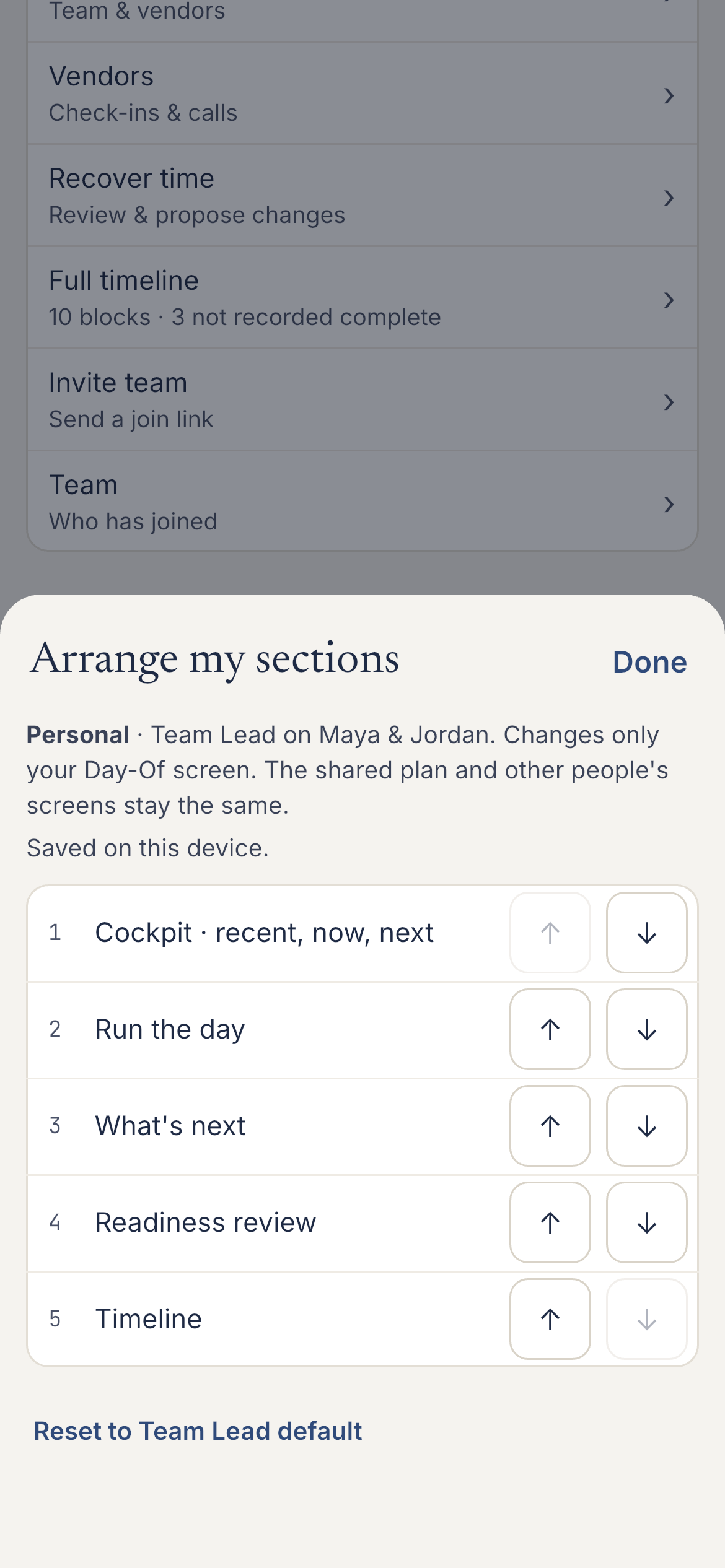
Arrange your day around your work.
Move Run the day, your Service board or another section to where you need it. This changes your view on your device. Other people’s screens and the shared schedule keep their order.
Try personal arrangement ▶ New — Step-by-step video help
Plan in EventSync Workspace. Share the right details with vendors. Run the day from mobile, with you in control.
Wedding Assistant looks at your wedding and gives answers tailored to your plans.
Meet Wedding Assistant → See sample chats, then ask your first question in Workspace. Five free uses once per eligible account.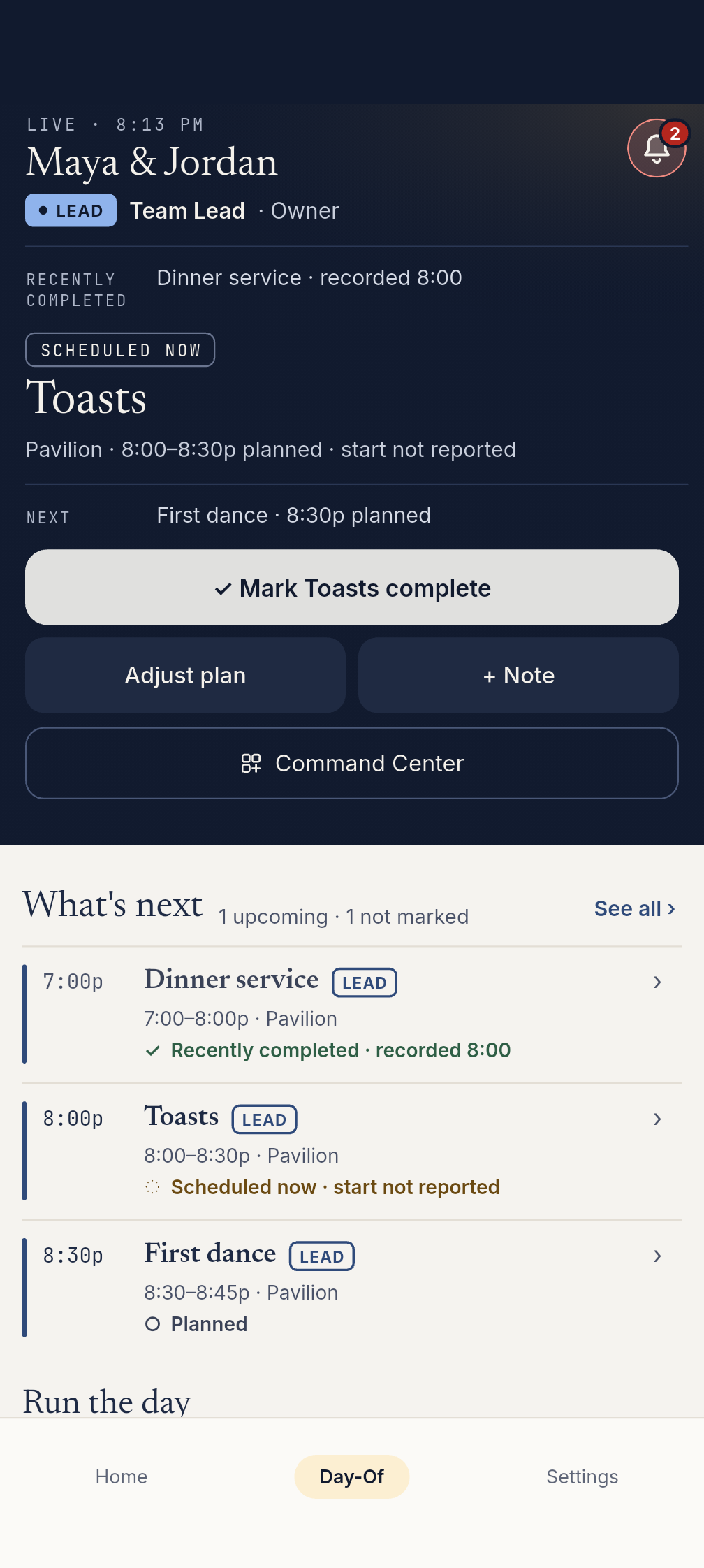
App workflow example · fictional weddingFictional wedding data.
Put the tools you reach for first at the top of your Day-Of screen. Your personal order stays separate from the wedding’s shared timeline.
Move Run the day, your Service board or another section to where you need it. This changes your view on your device. Other people’s screens and the shared schedule keep their order.
Try personal arrangement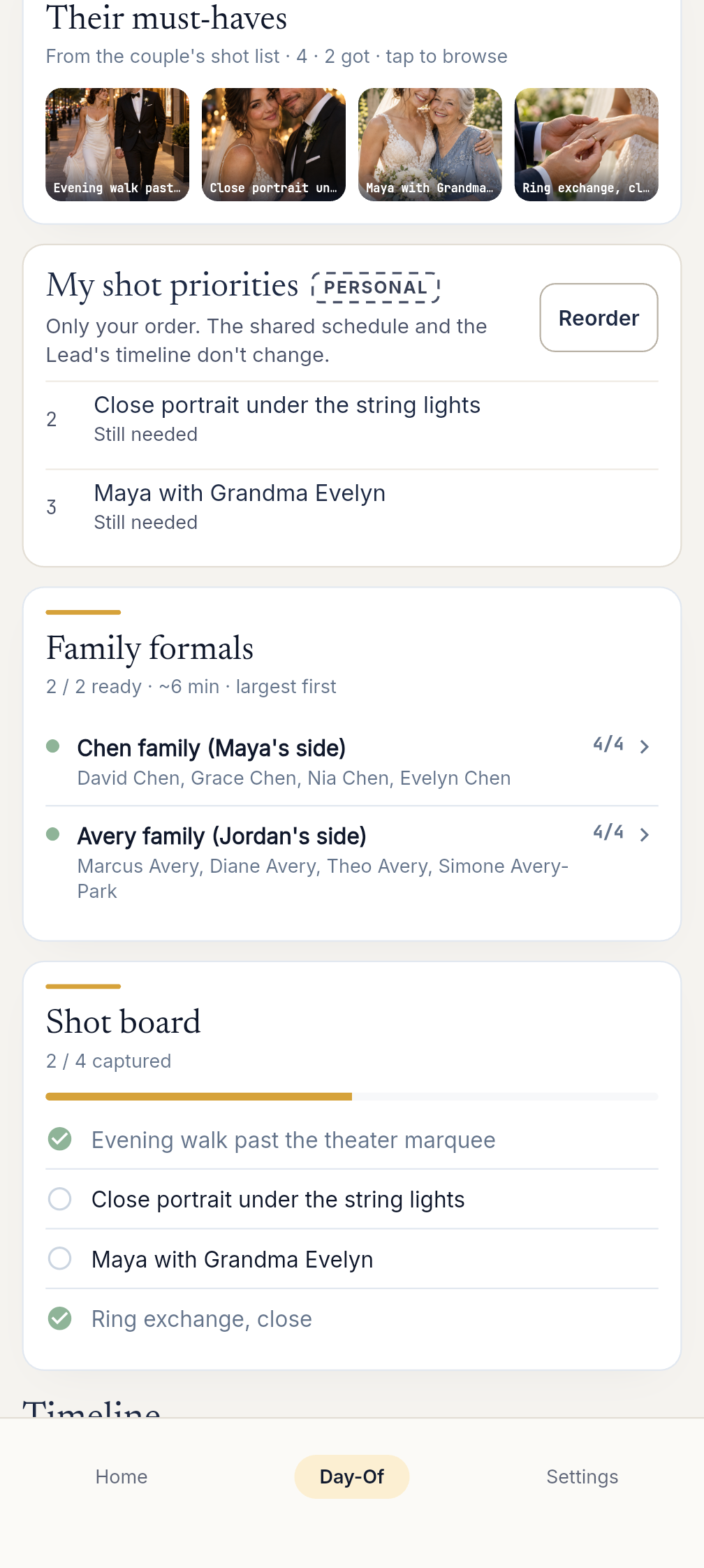
Reorder personal shot priorities, open the couple’s references and check who is ready for family formals. Capturing a photo stays separate from completing a timeline activity.
Explore the photo workflow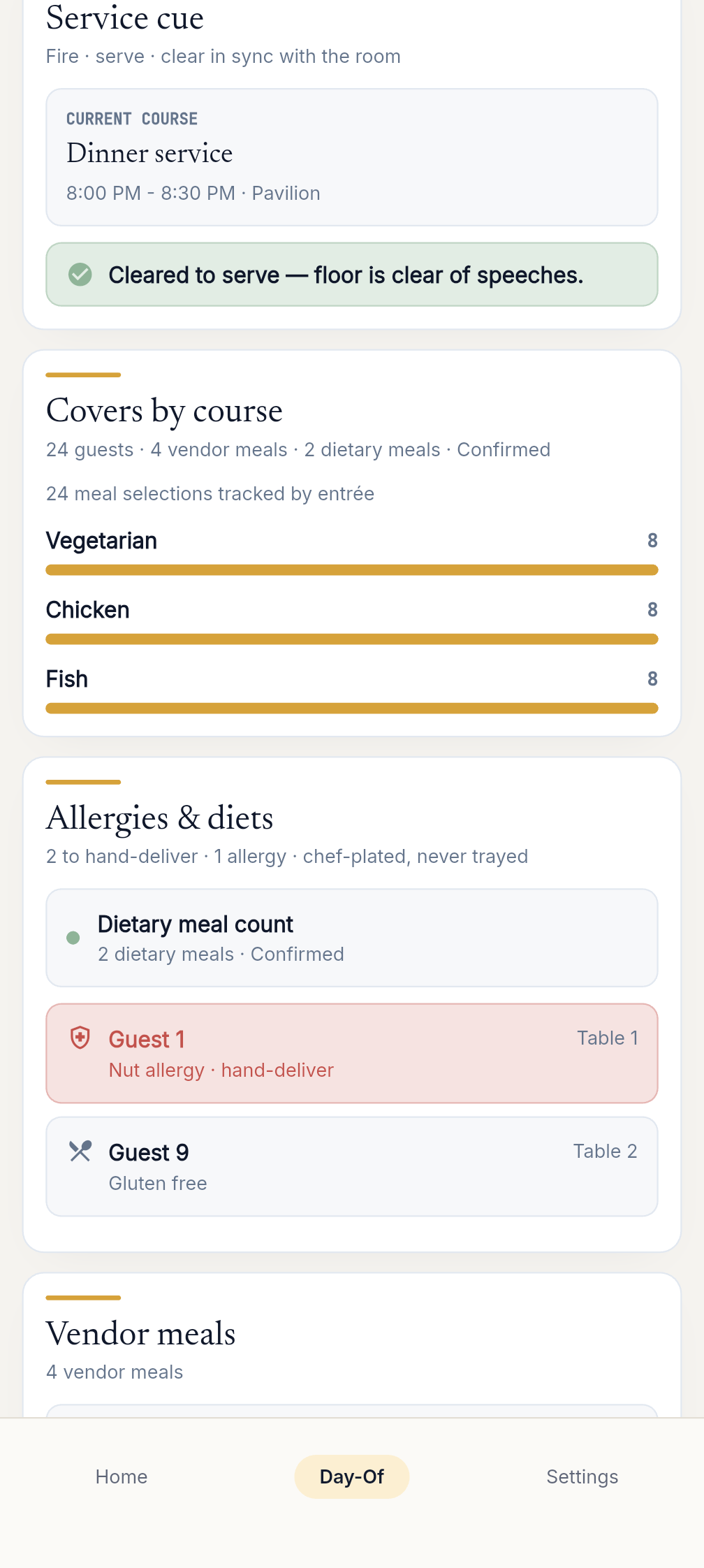
Keep service cues, meal counts, dietary flags and vendor meals together. Bring the Service board higher on your own screen when it is the part of the day you need most.
Explore the service boardUnaltered native app captures with fictional records. Photo references are AI-generated inspiration. Examples use fictional wedding data.
“I’ve shot weddings for years. Every planning app I tried stopped working the moment the wedding day actually started. So I built one that helps the people running the day stay aligned when nobody has time to hunt for updates.”
A reception is running 20 minutes late. Room setup and existing buffers save eight. Watch Nora review the remaining 12, confirm the recovery with Priya, and lead the team back on time.
Cinematic advertisement created with A
00:00Zoe and Liam's reception is about to begin. But family photos are running late.
00:07PRIYA: Photos put us twenty minutes behind.
00:10NORA: Room setup and buffers saved eight. Twelve remain.
00:14Nora opens EventSync Day-Of. In SmartRipple, she reviews the remaining twelve.
00:20Its balanced plan protects the entrance and suggests seven minutes from the portrait buffer.
00:27Then five from the room flip—a proposed recovery of all twelve.
00:32NORA: Priya, can your team make up five minutes?
00:36PRIYA: Yes. We'll be ready.
00:38NORA: Good. I'll apply the balanced plan.
00:40Nora applies her choice, then briefs the team.
00:44NORA: Priya, make up five minutes. Marcus, mic and entrance. Camila, doors. Everyone, stay on your assignment. Let's move.
00:53SmartRipple suggests. Nora decides. Her team does the work.
01:08ROOM CREW: The room is ready.
01:11NORA: Open the doors.
01:20Twelve minutes recovered. Zoe and Liam walk in right on time.
01:26EventSync Day-Of. Plan in Workspace. Run Day-Of.
Plan at a desk in EventSync Workspace, then carry the wedding into mobile. Arrange your Day-Of sections around your workflow, keep photo priorities in your own order, and follow recorded status beside planned timing. Try the interactive preview or explore the fictional Workspace sample.
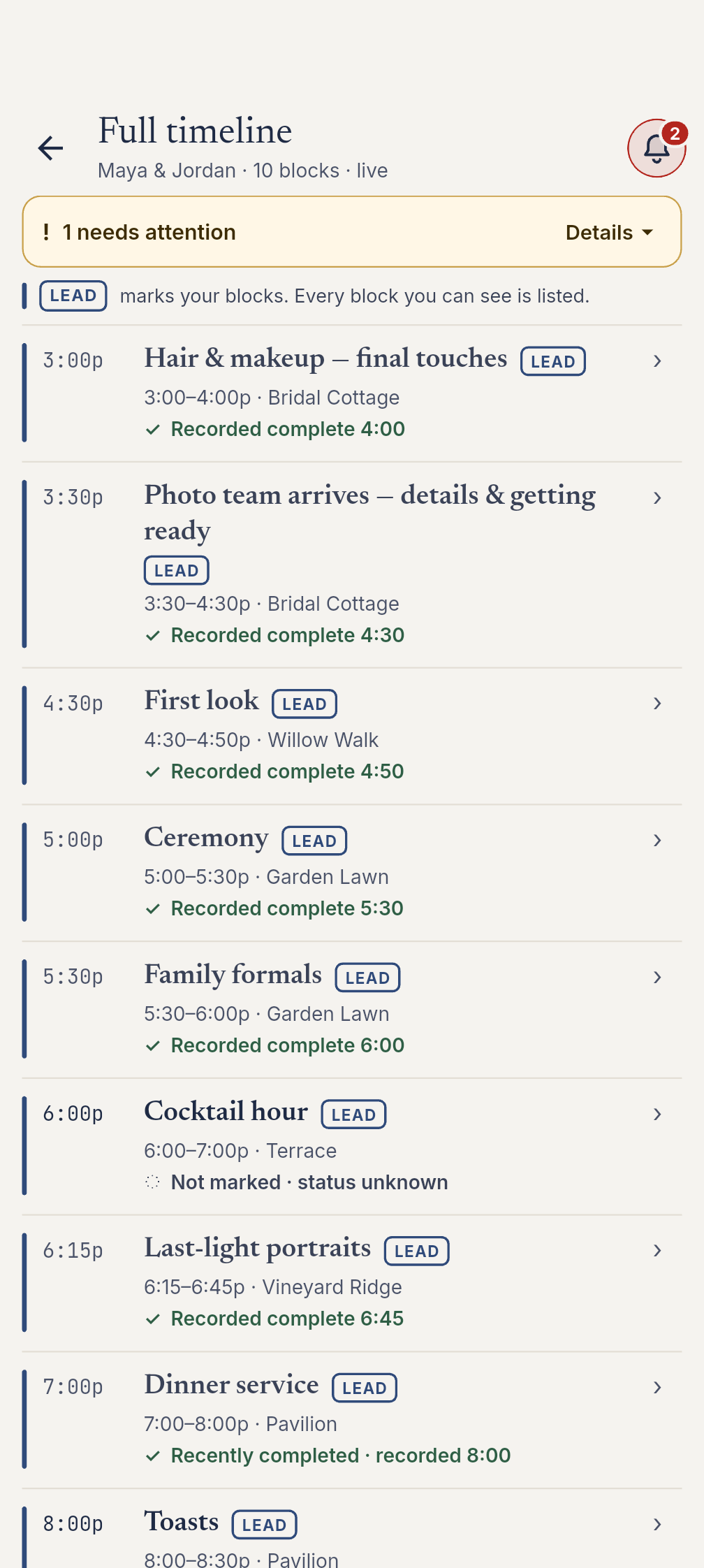
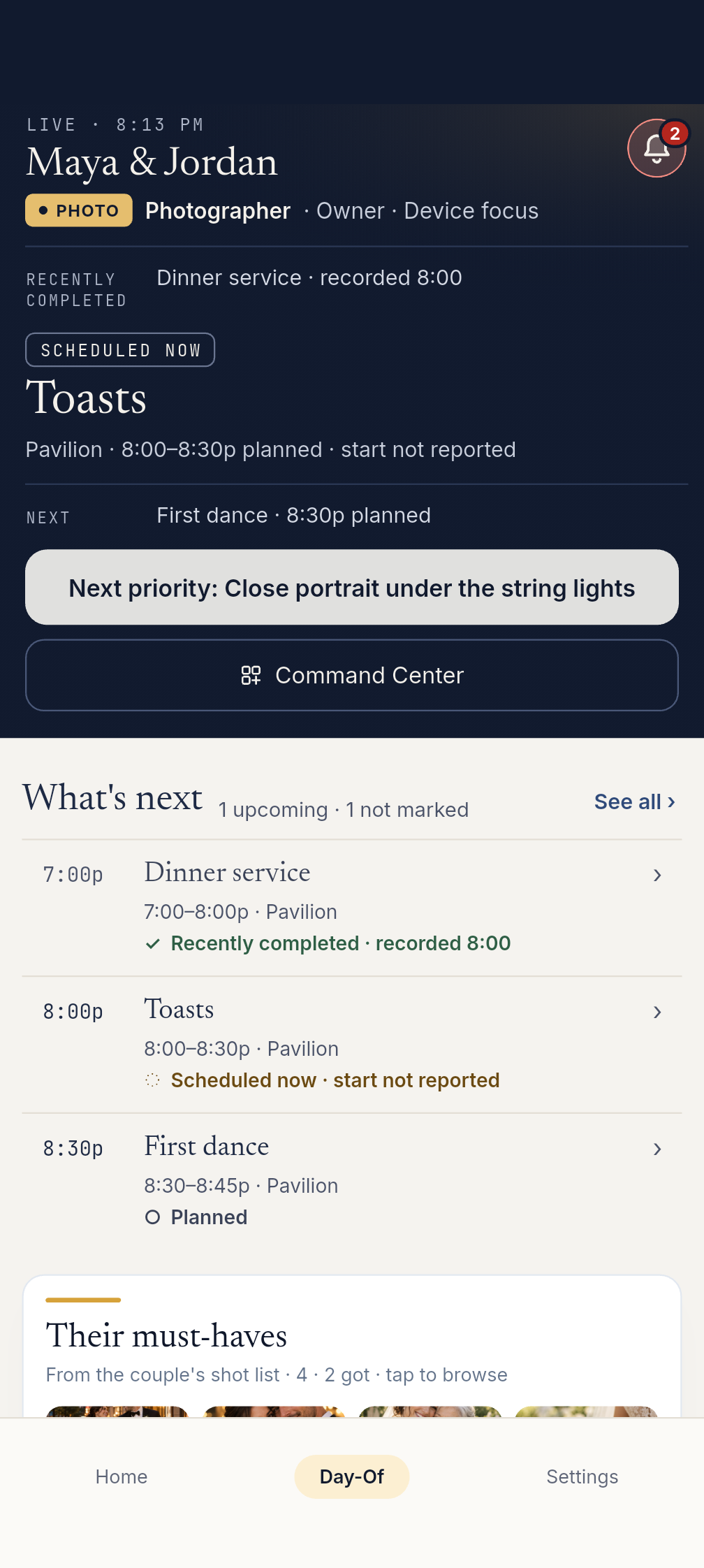
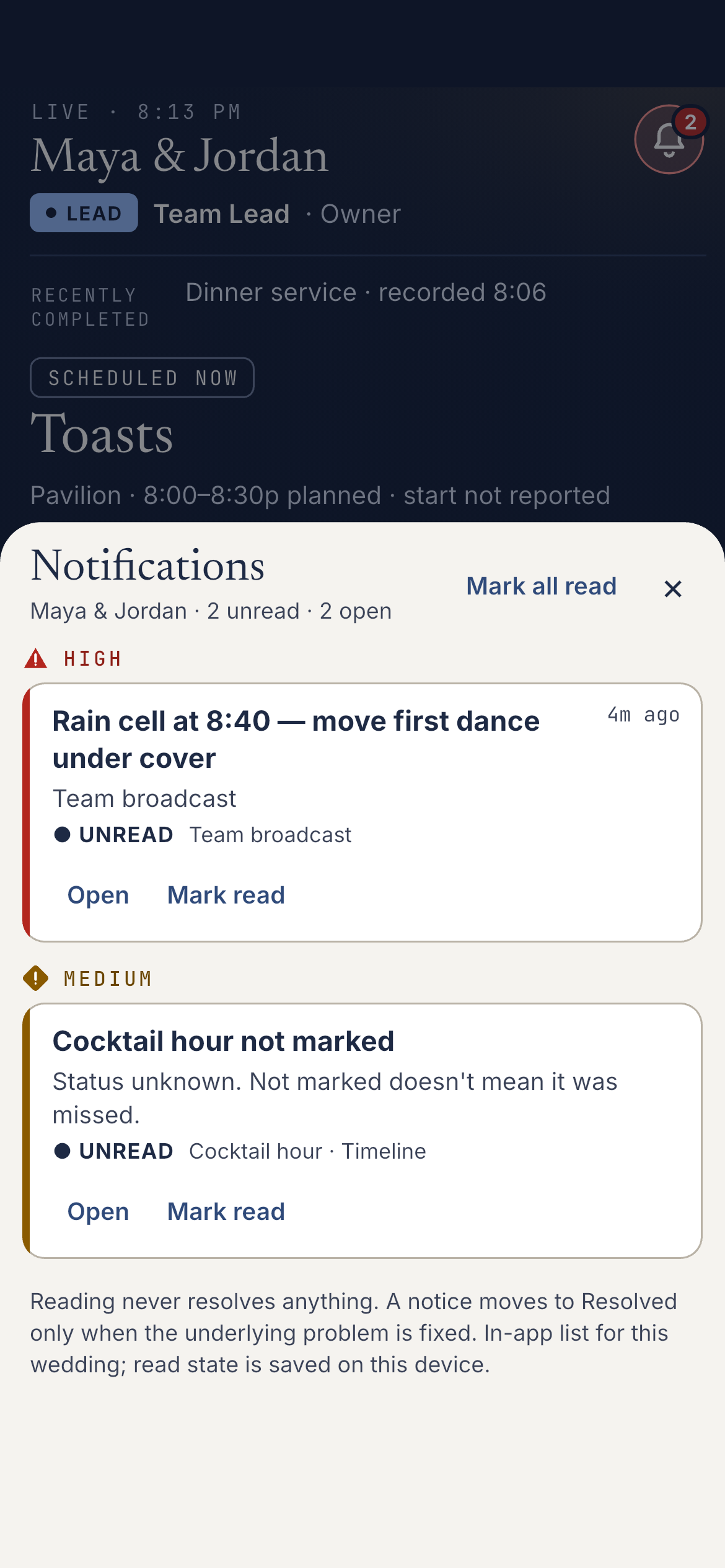
These unaltered native app captures use an offline fictional wedding.
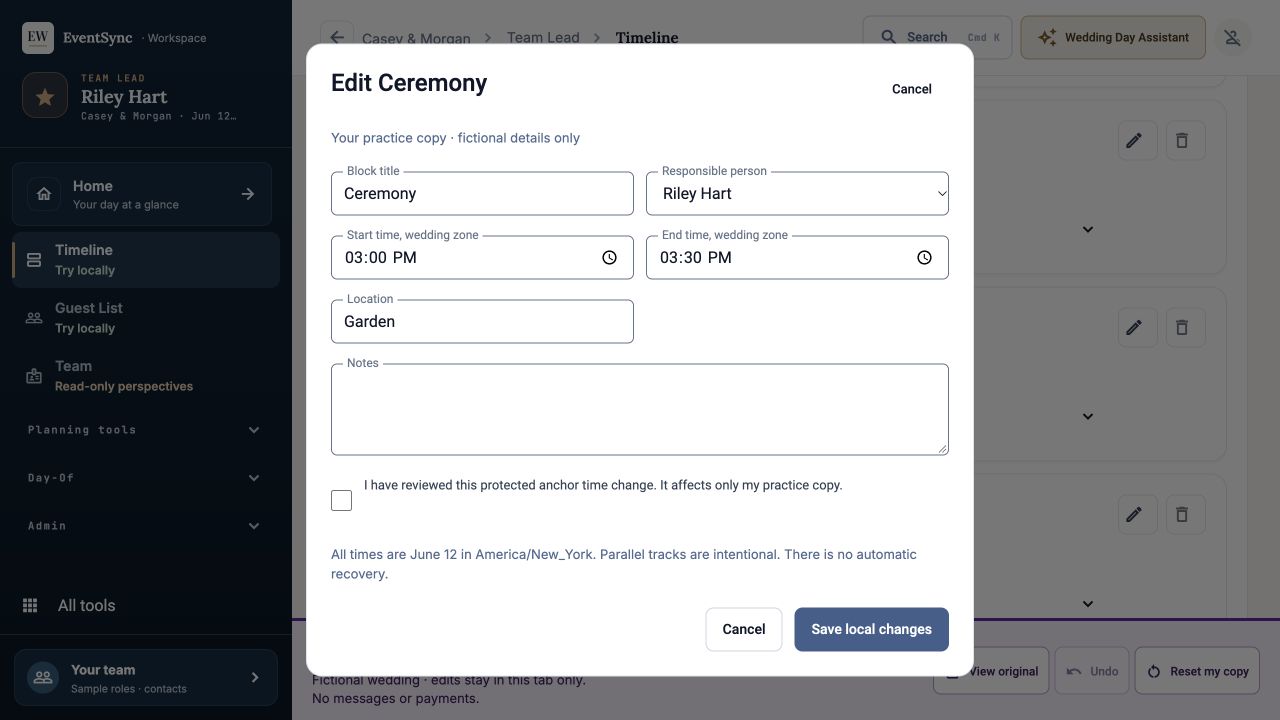
Open a practice copy to explore timeline editing, budget, guest list and planning checklist tools. The sample uses fictional records and keeps your practice changes separate.
Explore the Workspace sample ↗Planning a DIY or micro wedding? EventSync Day-Of is day-of coordinator software that turns your plan into a focused dashboard, with the timeline, checklist, key contacts, and handoff details your trusted lead needs. A trusted lead can carry out a well-prepared plan, but does not replace a professional coordinator when your wedding needs that level of experience.
Read the DIY handoff guide →Work through the timeline, guest list and planning checklist in Workspace. On the day, open the same wedding in EventSync and put the sections you need first at the top of your personal view.
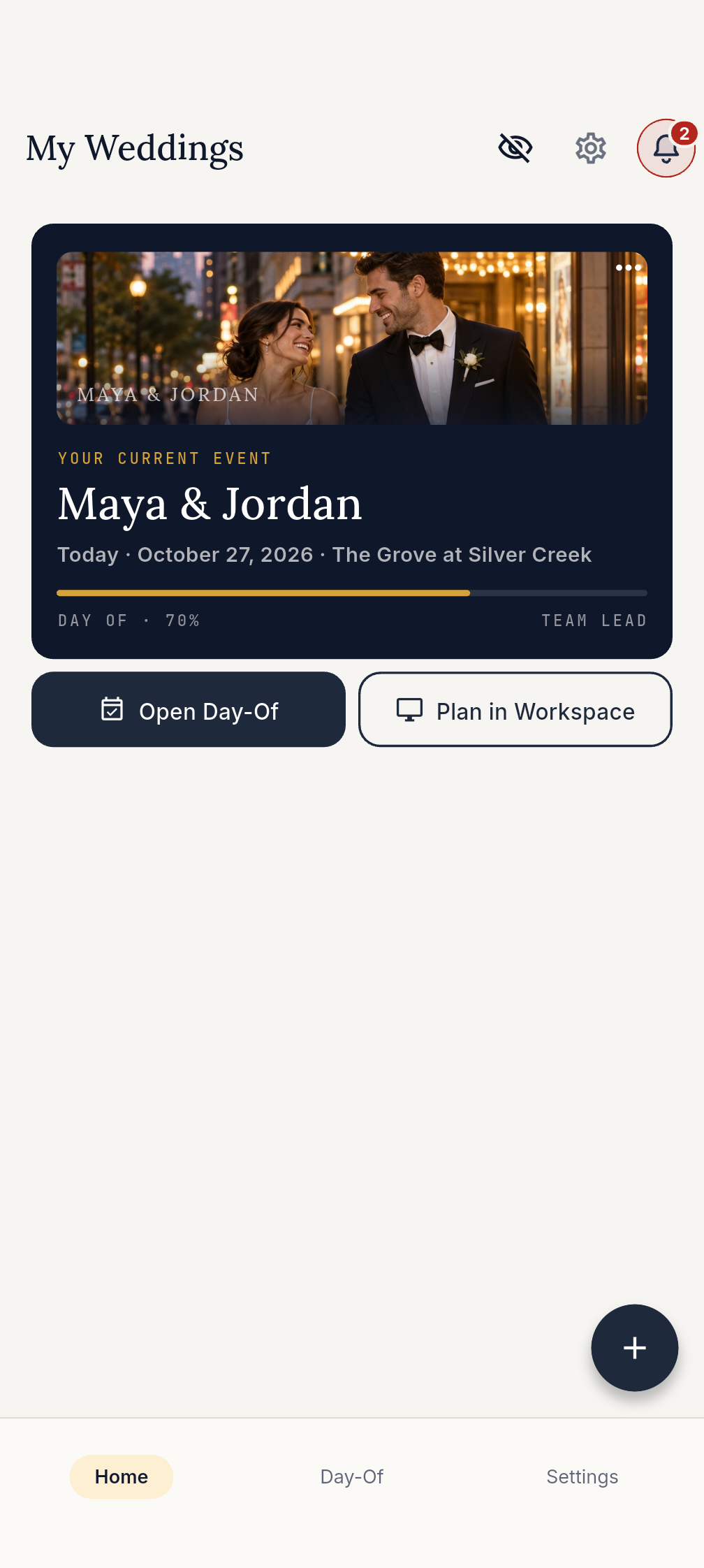
Try the Workspace sampleUnaltered native Home capture with fictional records and a generated fictional cover photo. App workflow example.
Plan with confidence, coordinate with clarity, and celebrate without the stress.
All your wedding planning essentials in one beautifully organized space.
Your planner-controlled live run sheet for wedding day execution. Keep protected anchors, role lanes, vendor handoffs, and SmartRipple recovery suggestions in one source of truth.
Bring your wedding party, planner, and vendors together with role-based access.
Guests can RSVP from a browser without downloading the app, including meal choices, plus-ones, registry links, and real-time RSVP status updates.
Share your plans with anyone. Generate polished exports and a final run sheet backup for your whole crew.
EventSync combines a free planning workspace with paid day-of execution tools. Bring the timeline you already have, review the run sheet, and keep vendor check-ins, role handoffs, planner-controlled recovery, and the live wedding-day command surface connected.
Tell the app how late the day is running. Compare recovery plans, or adjust the blocks yourself. Your lead reviews the changes before applying them.
This separate fictional example starts with a lead-reported 20-minute delay. No completion entry is treated as proof of actual progress. SmartRipple is available with Day-Of access; premium Wedding Day Assistant access is separate.
Loading the fictional recovery example…
Wedding Assistant looks at your wedding and gives answers tailored to your plans. It uses saved details you have permission to see, and you can ask follow-up questions in Workspace.
You stay in control: nothing changes automatically. Review any proposal before explicitly confirming; your planner or coordinator remains in charge.
EventSync grows with you from engagement to celebration.
Organize your budget, guests, vendors, and checklist. Build your wedding day timeline down to the minute.
On the big day, your team follows the live timeline. Everyone knows exactly what to do and when.
Put your phone down and be fully present while your planner and crew stay aligned in EventSync.
No. Personal section order changes only your own Day-Of screen on your device. The shared plan and other people’s screens keep their order.
Yes. Photographers can reorder their personal shot priorities without changing the couple’s shared list. Capture checks stay separate from completing a timeline activity.
Whether you're the couple, the planner, or the photographer — EventSync gives you exactly what you need.
Keep the next planned moment in sight while your planner or trusted lead handles the day’s coordination. Follow the shared schedule and the updates relevant to you.
The next planned momentYour command center for the day. Live timeline with SmartRipple recovery suggestions, in-app team updates, vendor check-in tracking, and role-specific handoffs for your whole team.
Full command centerKeep photo priorities and personal capture checks beside the shared timeline. Your role view highlights relevant blocks and keeps planned timing separate from recorded status.
Shot list + role dashboardKnow exactly when to arrive and what's happening. Check in on arrival, receive role-relevant in-app updates, and find the work relevant to your role without losing the shared timeline.
Role-specific dashboardsEvery feature exists because of a real problem on a real wedding day. Here's what EventSync is designed to handle.
The caterer arrives late. Wedding Day Assistant flags the timing risk for planner review. The planner opens SmartRipple, reviews and applies the recovery, then confirms one clear in-app update for affected roles.
The photographer needs their shot list, the DJ needs set times, the caterer needs meal service windows. Each role keeps the main timeline context, with relevant work highlighted and role tools close by.
The Couple view keeps the next planned moment and time together close by. The coordinator or trusted lead retains the operating controls.
Start planning free in EventSync Workspace. Purchase available Day-Of or Assistant access in the mobile app, then use the same EventSync account in Workspace so eligible access can sync.
Full planning suite — no credit card required.
Day-Of tools and planner-reviewed SmartRipple for one wedding. Premium Assistant access is separate; eligible accounts can try five free questions once.
Day-Of tools plus smart planning and recovery help for one wedding.
For wedding planners, venues, and photographers who manage multiple events.
For pros who want Wedding Day Assistant across multiple weddings.