EventSync Day-Of The Free Collection geteventsync.app
Free · for couples and coordinators

The Free Collection

Interactive wedding-day tools and complete planning templates — the things we wished existed while we watched couples do frantic math in a hallway. Useful immediately, beautifully made, and free. No signup.

Start with the Timeline Builder → Free · no signup · private on this device

Most free wedding downloads are a pretty PDF you fill in once and forget. These are different. The interactive tools think about your day the way a seasoned coordinator does. The downloadable files arrive with real rows, owners, statuses, backup moves, and the fields needed to keep working.

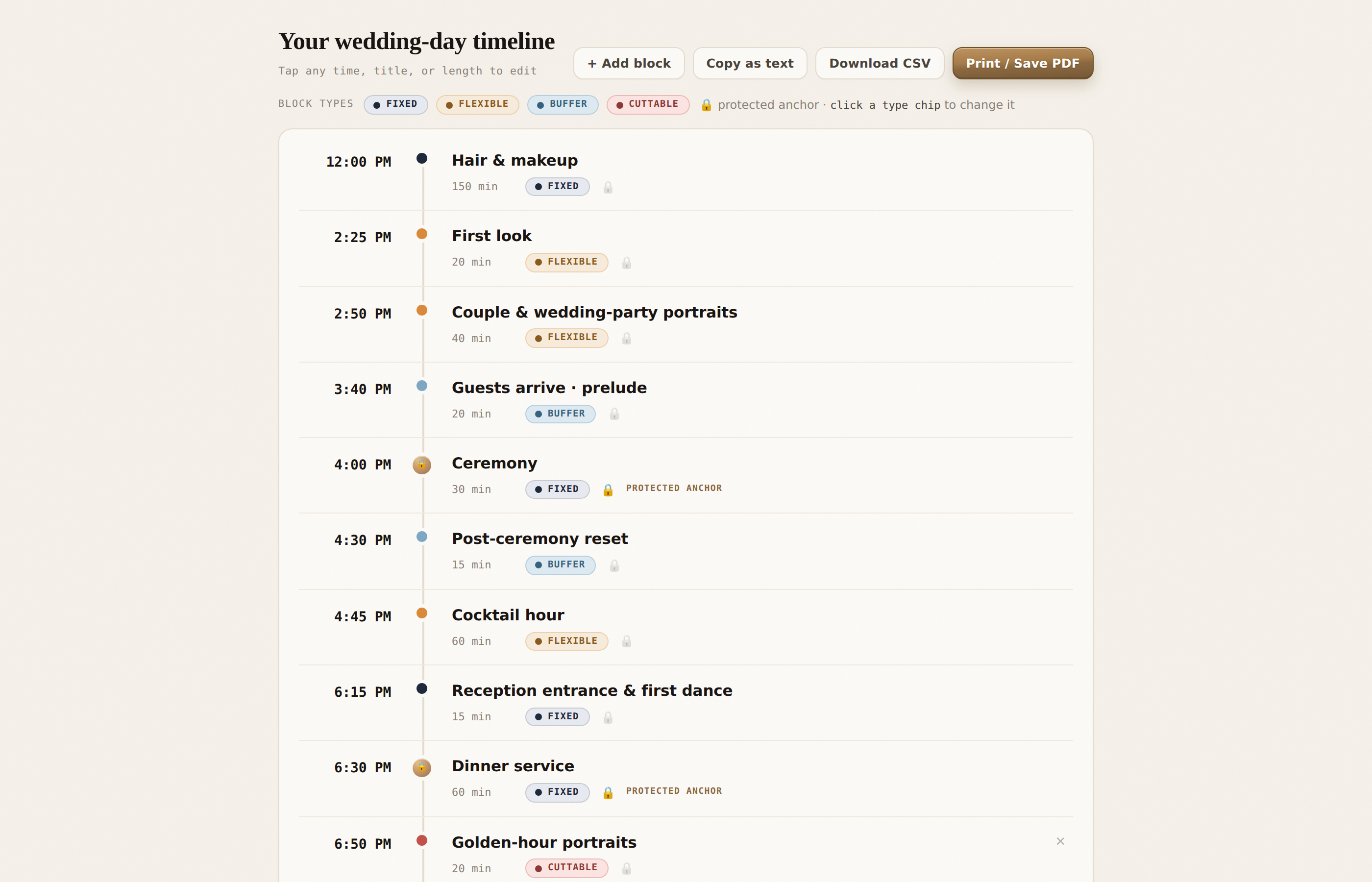
The Wedding Day Timeline Builder showing a generated run-of-show on a time spine, with Ceremony and Dinner marked as protected anchors.
N°01 · Wedding-day toolkit

Wedding Day Timeline Builder

Enter your anchors — ceremony, dinner, last dance — and get a realistic run-of-show built the way pros think: protected anchors that never move, flexible blocks that absorb delays, buffers that save the day. Edit any block, then print it or send it straight into EventSync.

InteractiveAuto-buildsPrint / PDFCSV export
Open the Timeline Builder →
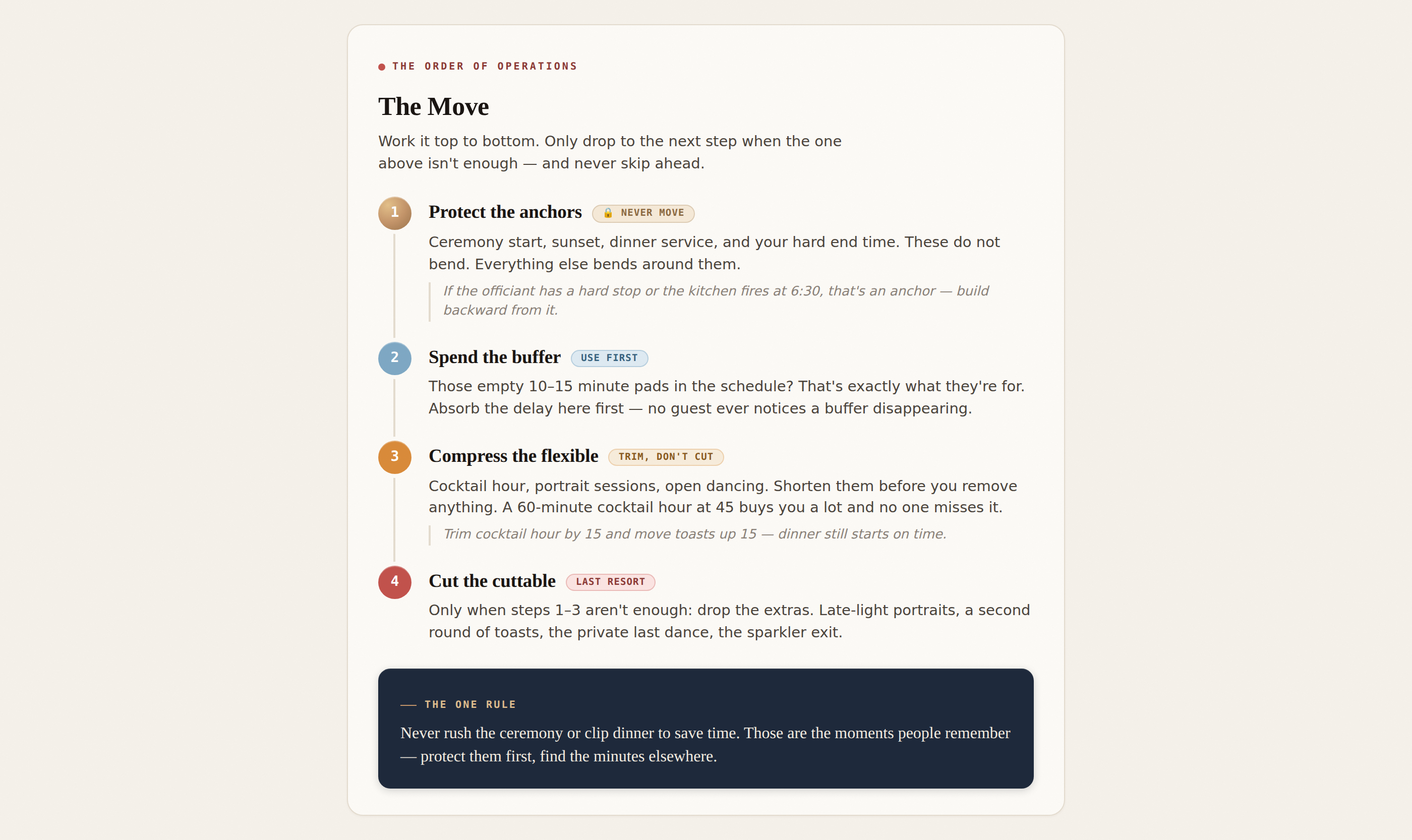
The Running Behind recovery card: a four-step escalation ladder — protect the anchors, spend the buffer, compress the flexible, cut the cuttable.
N°02 · Keep-in-your-pocket

Running Behind? The Move.

The one card to keep in the planner's pocket. When the day slips, this is the exact order of operations — protect the anchors, spend the buffer, compress the flexible, cut the cuttable — with room to write your own anchors and fastest vendor numbers. Prints and folds into a pocket card.

PrintableFill-inFold-up card
Open the Recovery Card →
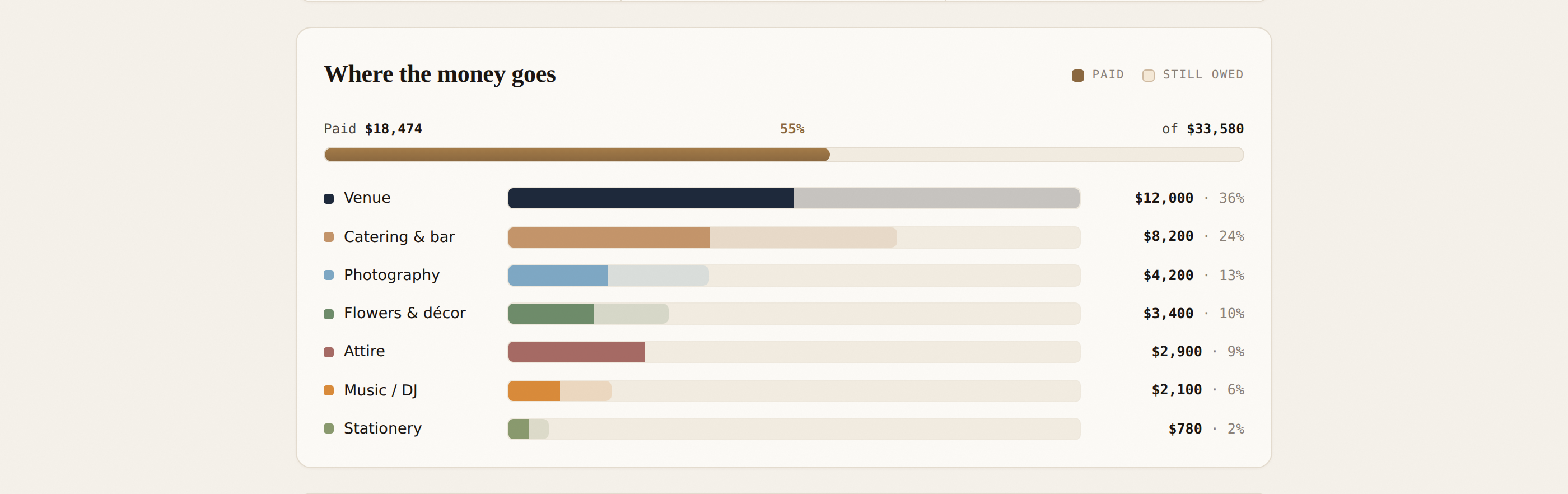
The Wedding Budget Worksheet showing a paid-versus-owed progress strip and ranked category bars for venue, catering, photography and more.
N°03 · Money, made clear

Wedding Budget Worksheet

A clean place to see where the money actually goes. Fill in your own numbers — nothing here assumes what a wedding "should" cost — and watch live paid-vs-owed totals and category bars update as you type. Print it, or export a CSV.

InteractiveLive totalsPrint / PDFCSV export
Open the Budget Worksheet →
Prefer a spreadsheet?

Downloadable planning templates

These are complete working documents, not empty grids. Open the guide to see what is included, then download the editable file that fits your day.

Need a starting schedule first? Browse the complete wedding timeline examples, including distinct 3 PM, 4 PM, and 5 PM ceremony plans.

How it works

Are they really free?

Completely. No account, no email, no trial — open a tool or template and start.

Do I need to sign up or install anything?

No EventSync account is required. The interactive tools stay in your browser, while the downloadable files work on their own. Google asks you to sign in only when you choose to save a private Sheet copy to your Drive.

Can I print them or save a PDF?

Yes. The timeline and coordinator checklist include print-ready PDFs plus native Google Sheets, Word, Excel, and CSV formats. The interactive tools also print or save as PDF.

Do they work with EventSync?

The Timeline Builder and timeline CSVs work with EventSync's timeline import. Every download also works on its own, and nothing is shared automatically.

What makes these different from a blank template?

The tools encode how pros run a day. The downloads include real sample content, owners, statuses, timing types, and recovery notes.

Who made them?

EventSync — a wedding-day coordination app. These are a free taste of how the full product thinks about your day.
The whole day, handled

Plan the whole wedding, free while you plan

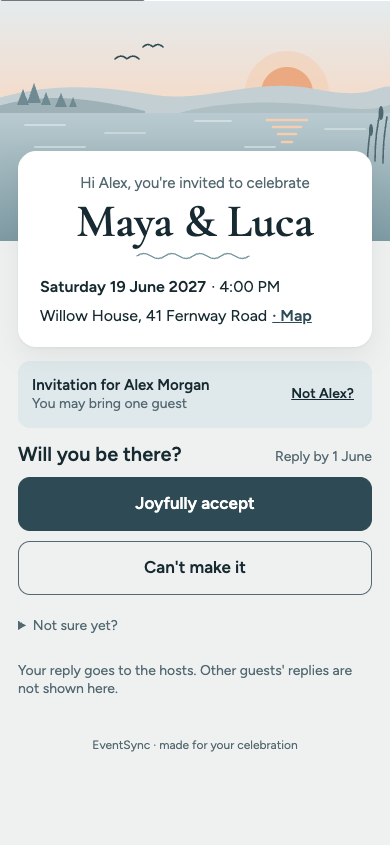
These tools and templates are a useful start. In EventSync you get the full run-of-show, budget, guest list, and a Wedding Assistant that does the frantic math on the day — suggests the move, and waits for your yes.

Open EventSync free →