Get help building your first timeline
Workspace keeps Help visible in the header, with guidance for the page you are using. Run Sheet Help includes a narrated lesson on adding and editing a timeline item, so you can see the controls before you begin.
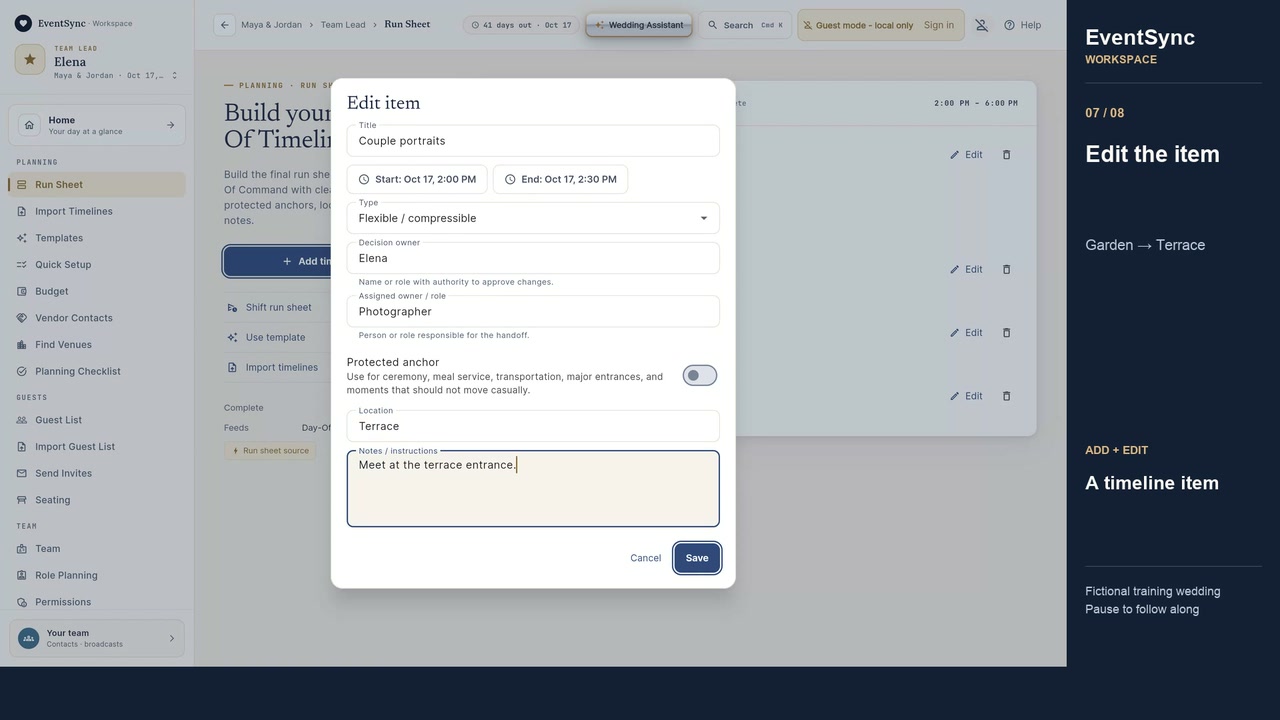
Watch how to add and edit a timeline item or open the lesson on YouTube. The Workspace overview explains Help and watching while you work.
The complete path from plan to wedding day
Build the timeline
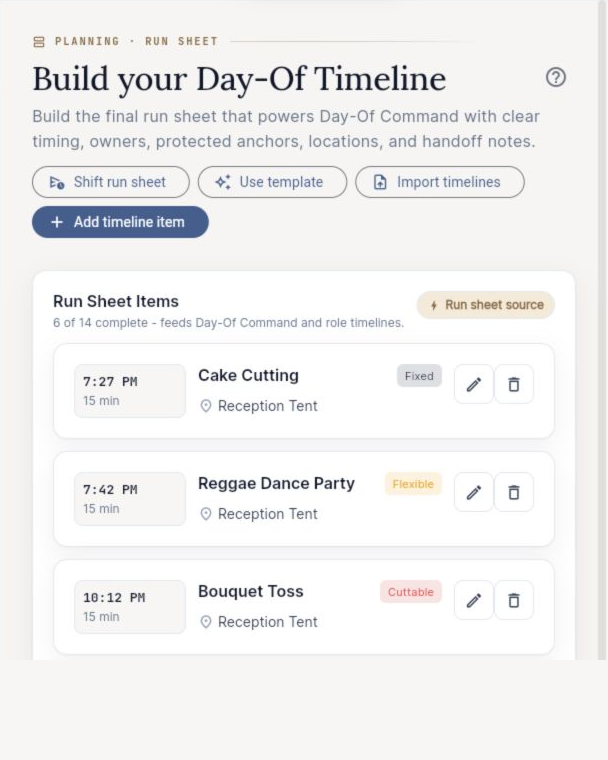
Start with the free browser builder for an ungated draft, or plan the wedding inside EventSync Workspace. A usable block includes a time, duration, owner, location, and the cue or dependency that makes it actionable.
Share one current wedding
Invite the people who are part of the EventSync team instead of maintaining separate copies. Keep private guest and vendor information limited to the roles that need it. The free browser builder itself stays on the device and does not automatically upload a draft to Workspace.
Give roles focused views
The photographer, DJ/MC, caterer, venue, assistant, other vendors, couple, family, wedding party, and guests do not need identical operational detail. EventSync Day-Of presents role-oriented views driven by the wedding's current data.
Go live on the phone
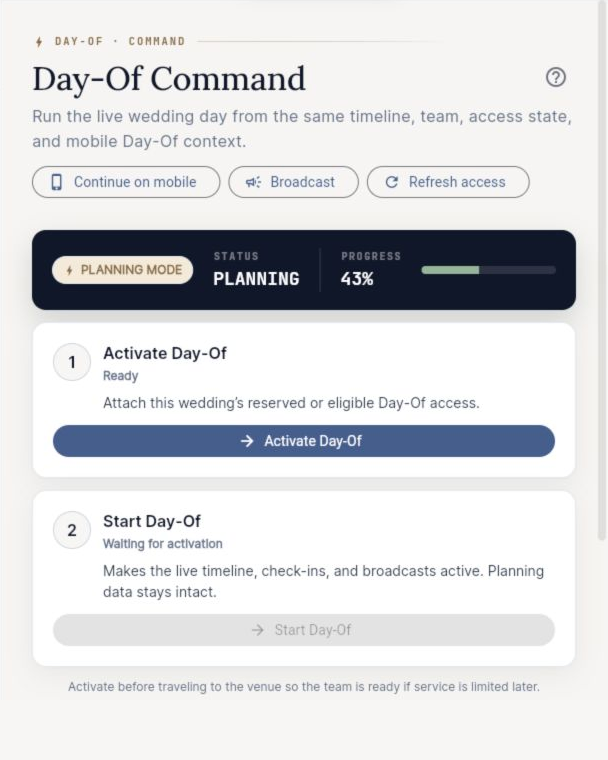
The native EventSync Day-Of app runs on iOS and Android. Leads can see the current and next block, mark work complete or skipped, monitor vendor status, and send role-targeted push broadcasts. When online, updates sync across signed-in devices.
Handle delays with human review
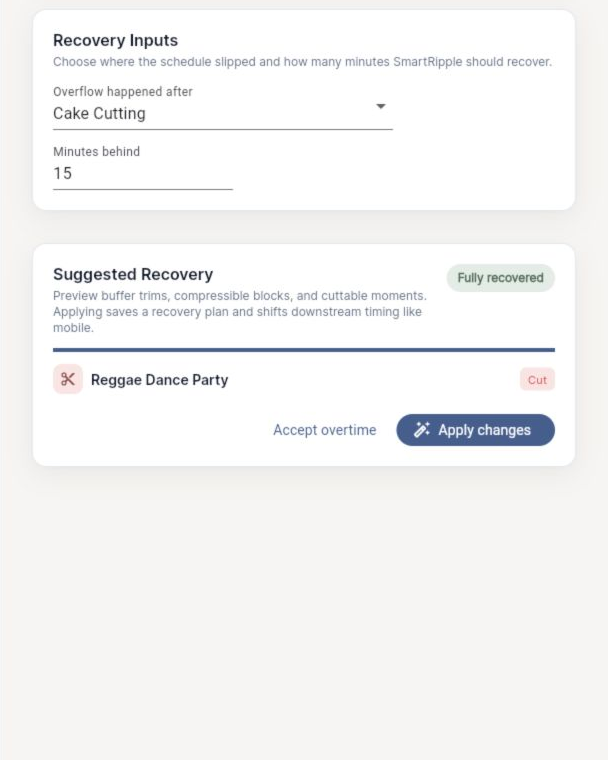
When a fixed block runs over, SmartRipple can preview how downstream timing would move. An authorized planner or team lead reviews the recovery before it is applied. EventSync does not replace the person responsible for contracts, safety, venue rules, or couple priorities.
Keep an export or print backup
Use the free builder's CSV export or browser Print/PDF option for a portable run sheet. Confirm that the final copy is current and protect any private contact or guest information included in a handoff.
What makes a timeline useful on a phone?
A long PDF is excellent as a backup, but it makes the user scan for their next task. A day-of app should answer “What is happening now?”, “What is next?”, “Where do I go?”, “What do I own?”, and “Who needs to know if this changes?” without forcing every person to read the entire production plan.
That does not mean hiding the master plan from the lead. The coordinator or authorized lead still needs the whole run sheet, vendor status, decision boundaries, and the ability to communicate a reviewed change.
What works when the venue has poor service?
The native Day-Of app is offline-first: it reads and writes to a local on-device database, queues changes, and syncs automatically when connectivity returns. Concurrent conflicts use the newest edit, so the lead should still keep editing ownership clear. Native push and cross-device live updates require connectivity.
Start with an immediately useful plan
You do not need an account to use the free timeline builder. Enter your anchors, generate the schedule, edit the blocks, then print/save PDF or export CSV. If you decide to continue into EventSync, use the same structure to build the wedding in Workspace and run it through Day-Of.
Make the timeline useful first. Then decide whether the wedding needs shared roles, live status, push updates, and recovery tools.
Build the wedding timeline free Use the editable template