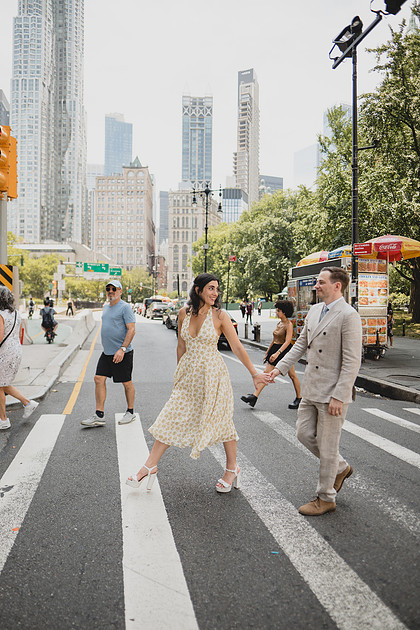
Start with the order of the day
A useful wedding day timeline template does not begin with decoration. It begins with sequence. Getting ready, first look, portraits, ceremony, cocktail hour, reception, speeches, dinner, formal dances, open dancing, and send-off all need a place in the day.
The template should also show the owner of each transition. If the florist, venue, photographer, coordinator, and DJ each have a different version, the couple becomes the person everyone asks.
Build in recovery before anything goes wrong
Good timelines name fixed moments and buffer blocks. Ceremony time is fixed. Dinner service may be semi-fixed. Portrait time can sometimes compress. A ten-minute room-reset buffer can disappear before guests ever notice. That structure lets the team recover without inventing the plan under pressure.
When to move from template to live timeline
A static template is perfect for planning. A live timeline becomes useful when people need role-specific cues, vendor check-ins, and approved updates. EventSync keeps the same schedule useful after the first delay arrives.
Start with fixed anchors, then build the day around them
The cleanest wedding day timeline template starts with the moments that cannot move easily. Ceremony time is usually fixed by guest arrival, officiant availability, venue rules, and light. Catering fire time is fixed by service quality. Transportation is fixed by routes and driver schedules. Venue access and end time are fixed by contract. Once those anchors are visible, the rest of the day can be built around them with realistic buffers.
Too many timelines begin with hair and makeup and move forward minute by minute. That can work, but it often hides the bigger constraints. A better approach is to identify the immovable moments first, then work backward and forward.
What a strong sample timeline includes
A complete wedding day timeline should include getting-ready access, beauty schedule, flat-lay/detail windows, first look or no-first-look plan, wedding-party portraits, family portraits, ceremony staging, processional cues, recessional, license signing, cocktail hour coverage, reception reveal if needed, introductions, dinner, speeches, dances, cake, late-night food, final private dance or exit, and vendor breakdown.
The template should also identify who needs each cue. The photographer does not need every catering note. The DJ does not need every beauty schedule detail. The venue does need room flip and service timing. A timeline becomes easier to use when each role can find the part that belongs to them.
Build buffers where weddings actually lose time
- Getting ready: add margin for hair and makeup handoff, wardrobe fixes, steaming, and travel from room to portrait location.
- Family portraits: add time for locating people, not just taking photographs.
- Transportation: add loading time, elevator time, traffic, walking distance, and accessibility needs.
- Room flips: confirm whether the venue is flipping during ceremony, cocktail hour, or another protected block.
- Reception transitions: leave room for speeches that run long and dinner courses that do not move at spreadsheet speed.
The downloadable template gives couples and planners a practical starting point. EventSync turns that starting point into a live plan the team can update and share.
When to move from template to live timeline
A spreadsheet or CSV template is excellent for drafting. It lets the couple and planner see the whole day before anyone commits to software. The handoff should happen once the plan starts affecting other people. When vendors begin confirming arrival, when family photo lists are final, when guests receive transportation details, and when the venue needs a room-flip plan, the timeline has become operational.
At that point, version control matters. A template can still be exported or printed, but the team should know which version is current and who has authority to change it. EventSync is built for that stage, where the template turns into a live day-of source of truth.
Plan this workflow on desktop in EventSync Workspace, then continue the same wedding on mobile for Day-Of Command.
Open Workspace Free Read the Workspace announcementUse this as a working starting point, then adapt it to your wedding, venue, roles, and timing.
Download CSVRelated EventSync guides
Questions couples and teams ask
Is this timeline template free?
Yes. The CSV template is available without an email gate.
Can I use it without EventSync?
Yes. The template stands alone. EventSync is the live upgrade when you need shared role-aware updates.
What should be marked as fixed?
Ceremony, venue access, contracted meal service, transportation deadlines, and hard venue stop times are usually fixed.