
What you are seeing
Maya and Jordan’s late-autumn wedding is moving through the garden and glasshouse at Willow House. Elena Brooks is the Team Lead. Sam Rivera is the Photographer. Priya Shah is the Caterer. Each person is responsible for a different part of the same day.
Then Cocktail Hour falls 45 minutes behind. Elena needs to protect Dinner Service, understand the trade-offs, give the team the updated plan, and make sure Sam and Priya receive one new operational cue. The video follows that work from the Cockpit to the final two acknowledgements.
It is the shared operating view that helps Elena see the day clearly. Elena remains the person who weighs the recovery, approves the change, selects the alert recipients, and decides whether more human follow-up is needed.
The human story around the screens
The product video demonstrates the workflow. This six-frame editorial story shows why the workflow matters to the people moving through the venue.



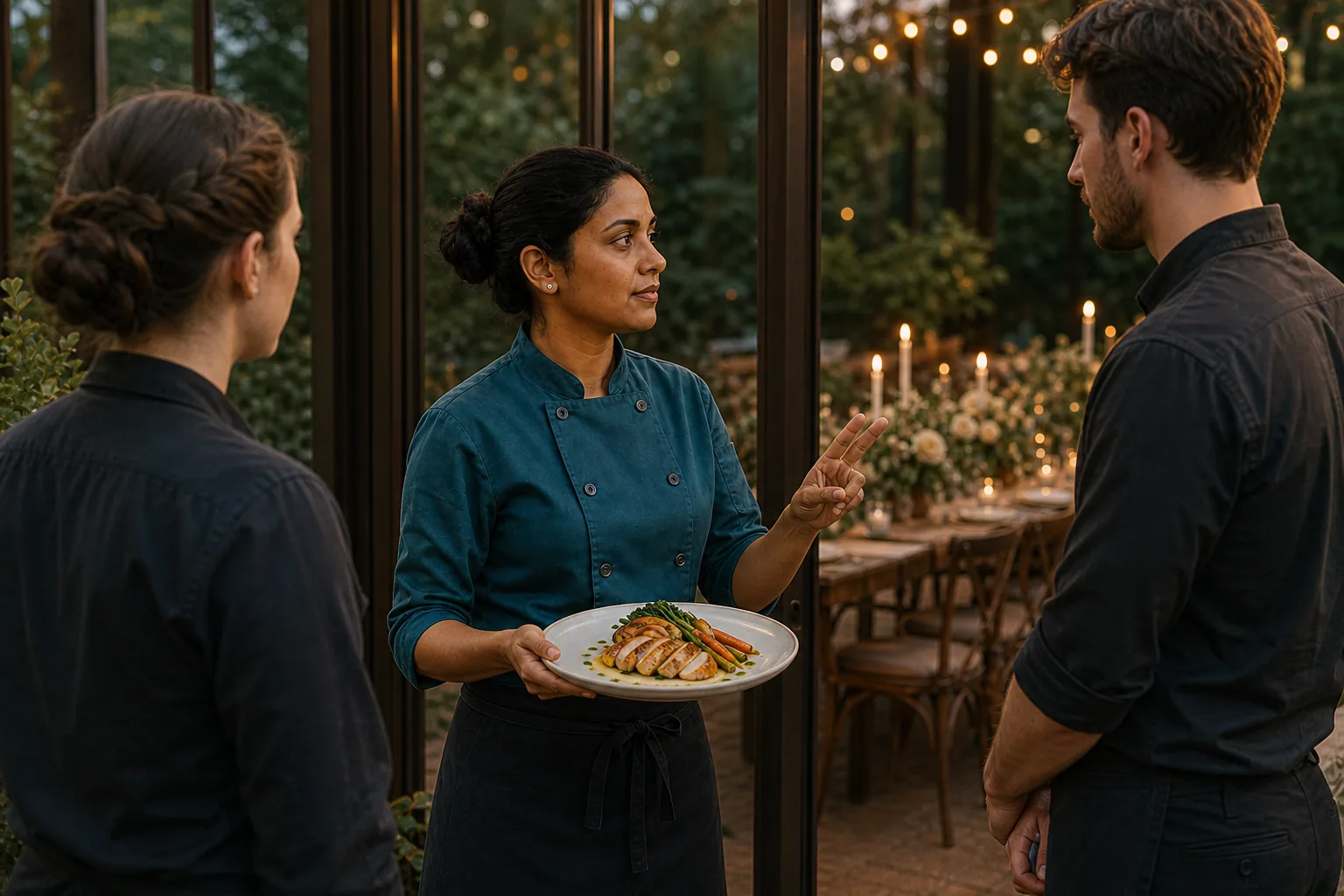


What the Cockpit shows
The video begins on Elena’s labeled Team Lead phone. The Cockpit puts Maya and Jordan’s wedding, the current Cocktail Hour block, the Command Center, and what comes next in one working view. Elena can move into the full Team Lead timeline or open Wedding Assistant from there.
This is the first job of a wedding-day command center: orient the person responsible for the day. Elena does not have to reconstruct the situation from separate texts, screenshots, and paper copies before she can act.
How Elena reviews a 45-minute recovery
Elena opens Wedding Assistant and asks a timeline-specific question. She needs to recover 45 minutes without moving Dinner Service. The returned proposal uses three changes: 30 minutes from Cocktail Hour, 11 from Family Formals, and 4 from the Reception Room Reveal.
The proposal is useful because it exposes the trade-offs before anything changes. It is not a generic promise that every late wedding can recover the same way. It is one reviewed response to the times and blocks in this event.
Nothing changes until Elena approves it
The video pauses on the untouched Apply change control while the narration makes the boundary explicit. Elena reviews the impact, taps Apply change, and confirms. Only then does the working timeline show Cocktail Hour at 30 minutes, Family Formals at 11, Reception Room Reveal at 8, and Dinner Service fixed at 60.
Wedding Assistant helps Elena think through the live schedule. It does not take over her authority. She can reject the suggestion, keep reviewing, choose a manual adjustment, or apply the reviewed change shown in this walkthrough.
What each role sees after the change
The applied shared timeline synchronizes across the three signed-in role accounts used in this capture. Sam’s Photographer view keeps the photo-family plan close to his work, including separate Couple plus Mom and Couple plus Dad groups. Priya’s Caterer view shows the updated 30-minute Cocktail Hour, Dinner still next, and the live service cue.
Those are not identical screens because Sam and Priya do not have identical jobs. The capture shows role-specific views of one wedding, designed to keep each person close to the timing and context shown for that role.
The shared timeline and selected alert do different jobs
After the timeline is updated, Elena takes a separate action. She writes a new operational cue, turns on acknowledgement, and explicitly selects Photographer and Caterer. EventSync does not decide the recipients for her and does not broadcast the alert when the timeline changes.
The alert begins at 0/2. Sam opens it on his Photographer phone and acknowledges. Priya does the same on her Caterer phone. Elena then sees 2/2 with both names checked. That status records their actions. It does not guarantee how quickly someone will respond or that every task is complete.
Full video transcript
Transcript for the 1 minute 49 second product walkthrough above.
Every wedding-day decision starts in the Cockpit. On Elena Brooks’s Team Lead phone, EventSync shows what is happening now, what comes next, and the tools keeping Maya and Jordan’s team aligned. From there, Elena opens the full Team Lead timeline and Wedding Assistant.
Cocktail Hour is forty-five minutes behind. Dinner, vendors, photographs, and every promise that follows are at risk. On the native iPhone keyboard, Elena asks for a concrete recovery that still protects Dinner Service. Her question is tied to Maya and Jordan’s live timeline, not a generic chat.
The Assistant returns three reviewed moves: trim thirty minutes from Cocktail Hour, eleven from Family Formals, and four from the Reception Room Reveal. Together, they recover all forty-five minutes while Dinner Service stays on time.
Nothing changes automatically. Elena reviews the impact, taps Apply change, and confirms. EventSync updates the real timeline to thirty, eleven, and eight minutes, while Dinner remains fixed at sixty.
The live timeline synchronizes across three role views. Sam’s Photographer phone shows the photo-family plan: Couple plus Mom and Couple plus Dad groups. Priya’s Caterer phone shows the new thirty-minute Cocktail Hour, Dinner still next, and the live service cue.
The operational alert is separate. Elena selects both roles, requires acknowledgment, and sends the cue. Sam and Priya receive that same alert on their own phones and acknowledge it. Elena watches the count move from zero of two to two of two.
One live timeline across three views. One focused alert with follow-through. EventSync Day-Of.
A practical command-center checklist
- Start with now and next. Make the current block, next block, and responsible human easy to find.
- Name what must be protected. Elena asks for a recovery that keeps Dinner Service fixed.
- Review the trade-offs. Read the proposed trims or removals before changing the real timeline.
- Keep approval human. Apply a suggestion only after the trusted lead understands it.
- Separate the shared plan from urgent communication. Update the timeline, then send a focused alert when specific people need to act.
- Verify the handoff. Check acknowledgements, then follow up personally if the wedding still needs a human conversation.
Elena decides what matters, whether the recovery is acceptable, which two role accounts are asked to acknowledge the alert, and what needs a direct conversation. EventSync supports that work with a live timeline, reviewed suggestions, the three role views shown in this capture, and visible acknowledgement status. It does not replace a professional coordinator, planner, trusted lead, photographer, caterer, venue team, or any other person responsible for the wedding.
Give the trusted lead one clear place to run the day.
You have seen the full product walkthrough. Next, explore how EventSync Day-Of supports the coordinator or trusted person already responsible for the wedding.
Maya and Jordan, Willow House, and the wedding-day scenario are fictional. The EventSync Day-Of app usage was real: the captured workflow was executed in a controlled QA environment with three signed-in role accounts, a working timeline, Wedding Assistant, human Apply and Confirm actions, role views, and acknowledgements. The accompanying people images are AI-generated editorial illustrations, not real clients or a real wedding. This demonstrates the tested process shown here; it does not guarantee that every wedding delay will resolve the same way.