Planning software is not the same as day-of control
Wedding planners already know how to build a timeline. The harder part is running it while vendors arrive, family members disappear, weather changes, and the couple is trying to stay present. The planner needs a tool that respects the plan but is built for movement.
EventSync is built around planner approval
Wedding Day Assistant and SmartRipple do not make public changes without approval. They help the planner see recovery options, route role-specific updates, and protect fixed moments while the day is already happening.
Use it beside your planning suite
EventSync does not need to replace every planning system. It can sit beside your CRM or planning workspace as the live wedding-day layer: timeline, vendors, broadcasts, role views, and recovery.
Planner software should respect the pace of the wedding day
Professional planners do not need another pretty place to store information if it slows them down on site. They need fast access to the current timeline, vendor contacts, task status, family notes, guest-sensitive details, and approved changes. The app has to work when a planner is walking between ceremony and reception, not only when they are seated at a laptop.
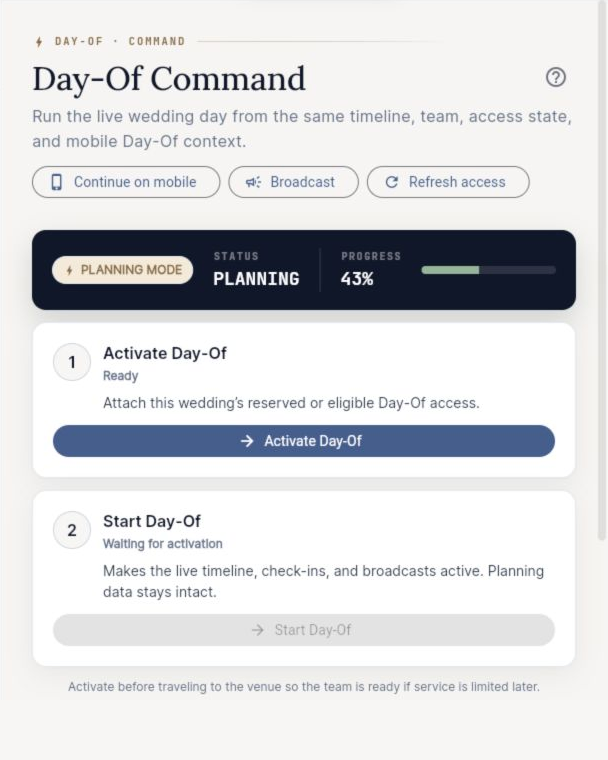
That is why EventSync is built around the handoff between planning and execution. Planning tools matter, but the product's strongest use is the wedding day itself: live timeline tracking, team updates, vendor check-ins, broadcasts, and role-aware views.
What planners should evaluate before choosing an app
Start with the client experience, but do not stop there. Ask what the assistant sees, what the photographer sees, what the DJ sees, what the venue sees, and what happens when the timeline changes. Ask whether the app helps preserve the planner's authority or turns every update into another conversation.
For planners handling multiple weddings, repeatability matters. You should be able to move from one event to the next with consistent structure while still customizing for venue rules, cultural traditions, guest count, weather risk, and vendor style.
A planner-ready workflow
- Build the master timeline around fixed anchors and vendor realities.
- Attach owners and notes to transitions before the final vendor confirmation call.
- Create role-specific views for assistants, vendors, family helpers, and wedding party.
- Use check-ins and broadcasts to reduce one-off texts during setup and reception.
- Close the event with breakdown, personal item, gratuity, and final transportation checks.
The app should make the planner look calm because the system underneath is calm. That is the standard EventSync is designed around.
Where EventSync fits beside existing planning tools
Some studios already use a CRM, invoice system, shared drive, or client portal. EventSync does not have to replace every part of that business stack. It can sit closest to the live event: the schedule, assignments, updates, and team movement. That narrower focus is useful for planners who want to keep their existing back office while improving the day-of layer.
Protect the planner's judgment
The best planning software does not make decisions for the planner without context. It surfaces the pressure points so the lead can decide quickly. A ceremony delay may be solved by compressing portraits, moving a reception reveal, or protecting dinner and shortening open dancing. The right choice depends on the couple's priorities, the contracts, the venue, and the vendor team.
EventSync keeps that approval layer visible. Smart suggestions help the planner move faster, while the planner remains the person who decides what the team actually follows.
Useful for lean teams and larger studios
A solo coordinator can use EventSync to reduce repeated questions. A larger studio can use it to keep lead planners, assistants, and vendors aligned across role views. In both cases, the app is most valuable when it reduces noise and preserves authority.
Plan this workflow on desktop in EventSync Workspace, then continue the same wedding on mobile for Day-Of Command.
Open Workspace Free Read the Workspace announcementRelated EventSync guides
Questions couples and teams ask
Is EventSync for professional wedding planners?
Yes. It is useful for planners, coordinators, photographers, venues, and couples, with planner-friendly day-of controls.
Does it replace my CRM?
No. It is best used as the live day-of coordination layer.
Can assistants and vendors have limited access?
Yes. Role-scoped views help each person see the information they need.