Wedding Assistant connects planning questions with wedding-day decisions.
Talk through your saved wedding details, then keep the people running the day in charge of the decisions. Day-Of role views and SmartRipple are available without premium Assistant access. Assistant conversations and readiness help have their own access requirements.
Current product update: This article originally described the day-of briefing experience. Wedding Assistant now also offers contextual conversations in Workspace, using the saved wedding details your account can access. Eligible owners, planners and team leads can review timeline proposals and explicitly confirm before applying them.
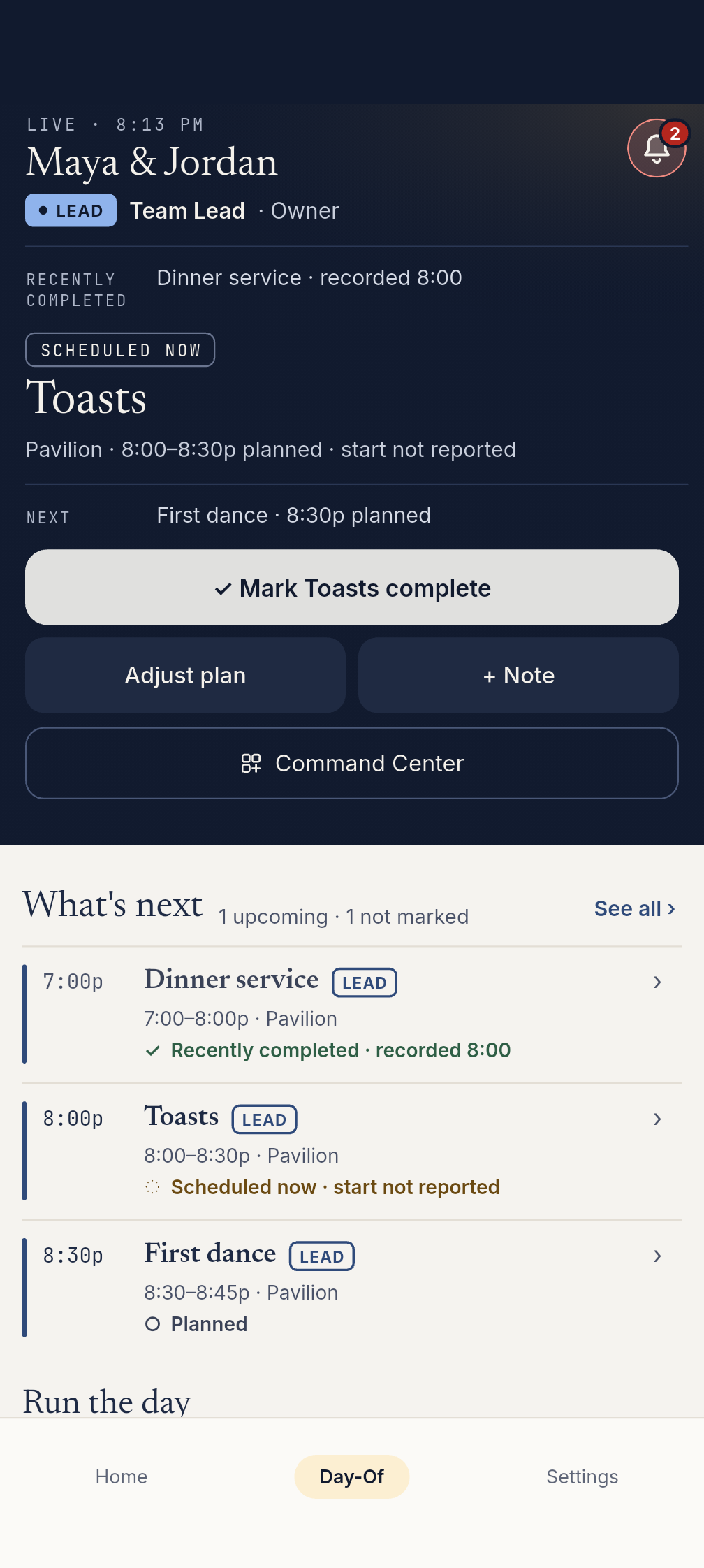
Wedding Assistant answers planning and day-of questions and supports the wedding-day operating flow. It looks at the plan, the timeline, role responsibilities, arrival status, and day-of changes, then surfaces useful next steps to the planner or team lead.
What a planning app does
A planning app helps you get ready. It can organize budgets, guests, vendors, checklist tasks, and timeline drafts. That work is important because the wedding day cannot run well without a plan.
But once the day starts, the user need changes. The planner is not asking, "What should I plan someday?" The planner is asking, "What is happening right now, what is drifting, who needs the next cue, and what should I approve?"
What Day-Of Command and Wedding Assistant each cover
Planning readiness
Surfaces missing setup that matters for the day: vendor arrivals, meal readiness, ceremony backup, transportation, and timeline gaps.
Day-of risk flags
Highlights current-state problems such as late vendors, tight timing, missing handoffs, or blocks that need planner attention.
Day-Of: role-specific handoffs
Shows each role what matters to them: the caterer's service board, the photographer's priorities and the DJ's cues, beside the full shared timeline.
Day-Of: SmartRipple recovery
Suggests how to protect fixed moments and recover time from buffers or compressible blocks, then waits for planner approval.
SmartRipple is a good example
Imagine the ceremony runs 12 minutes late. A generic app might only show that the timeline is off. A spreadsheet will simply be wrong until someone manually updates it.
SmartRipple can suggest a recovery path: protect the ceremony, keep the first dance fixed, borrow a few minutes from a transition buffer, compress a flexible block, and show what changes for the DJ, caterer, photographer, and venue.
That suggestion is not the same as an automatic decision. The planner still decides whether the recovery is right for that room, that couple, and that moment.
The day drifts
Ceremony runs 12 minutes late and dinner timing is at risk.
SmartRipple shows the recovery options
SmartRipple shows suggested trims, protected moments, affected roles, and unresolved timing if any remains.
The planner approves
The lead reviews, then applies the chosen recovery. Connected views receive the saved timing; a team broadcast is confirmed separately.
Why role-specific handoffs matter
A wedding day is not one dashboard for everyone. A caterer needs meal counts, service timing and dietary flags, including saved guest and table details when recorded. A photographer needs the current photo moment, next photo moment, family groups, must-have shots, timing, and location notes. A DJ/MC needs cue order, entrances, announcements, speeches, dances, and reception sequence.
The couple does not need any of that operational noise. They need a simple view: where to be, what is next, and the moments that matter.
What EventSync deliberately avoids
- No unsupervised timeline decisions.
- No external SMS or email promises from Wedding Day Assistant.
- No planner authority given to vendors or guests.
- No claim that software physically replaces an on-site coordinator.
- Conversations support the human lead; they do not replace onsite judgment or automatically apply changes.
The practical takeaway
If a couple is still planning, they need planning tools. If a planner is running the actual day, they need Day-Of Command. Wedding Day Assistant is an optional addition for contextual conversations and readiness help. EventSync connects those two moments so the plan does not fall apart at the exact point it matters most.
Try the wedding-day flow
Open the product demo to see SmartRipple, role handoffs, vendor check-ins, and planner approval in a fake wedding.
Open the product demo