A wedding day group text cannot tell the coordinator who is actually ready.
When a ceremony cue, portrait location, vendor arrival, or room flip changes, the lead does not just need to send a message. The lead needs to know who acknowledged it.
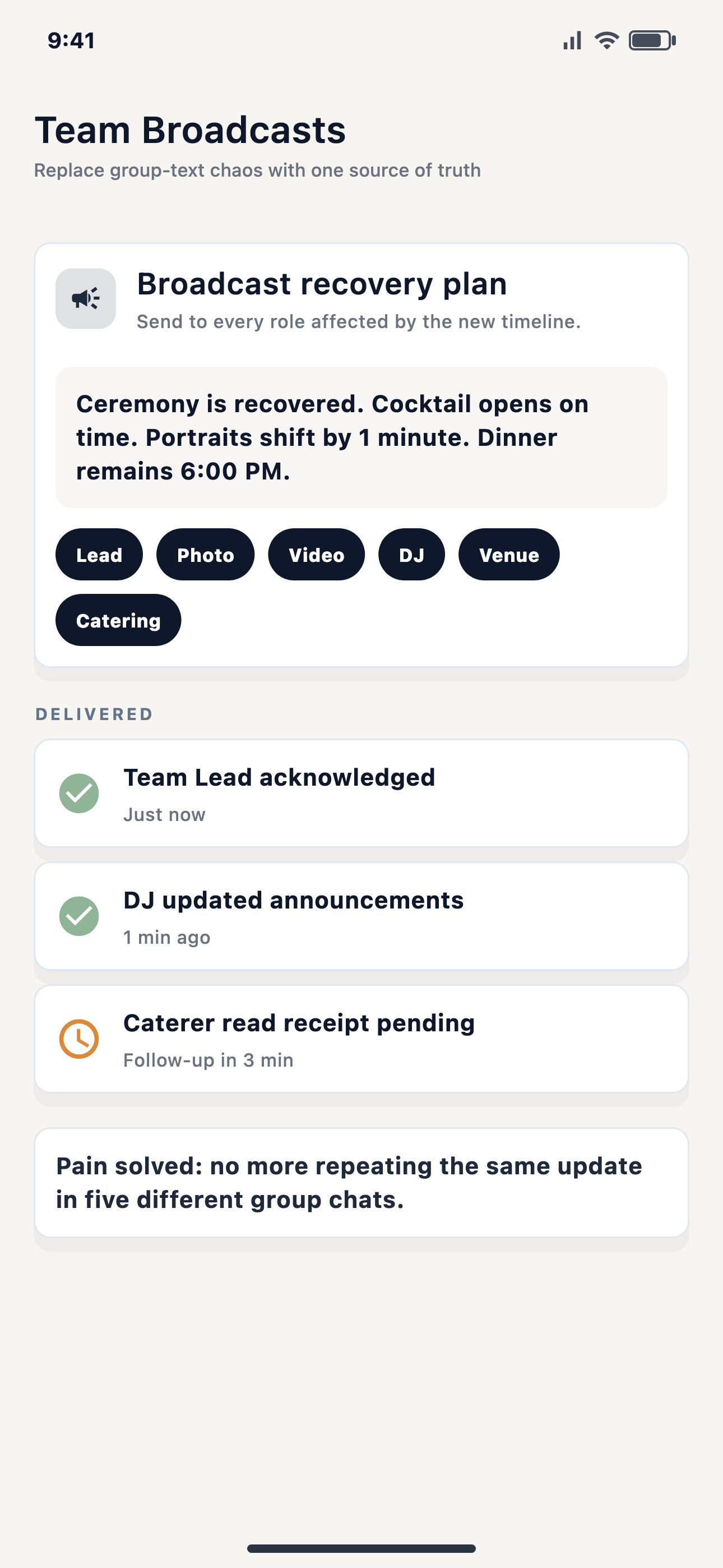
Group texts are familiar, but they are a weak place to run a wedding day. Replies stack on top of each other. Someone reacts with a thumbs up that might mean "seen," "I agree," or "I am on my way." A vendor may answer a different question than the one the coordinator meant to ask. The couple can get pulled into a thread that should never have landed on their phone.
The practical problem is simple: the next handoff depends on people actually seeing the change. If the ceremony starts ten minutes later, the DJ, photographer, venue lead, catering lead, and assistant do not all need the same message, but the coordinator needs confidence that the right people got their version.
A reply thread creates more reading. Acknowledgement gives the coordinator a clean operational signal: this person saw the update and accepted the new instruction.
What an acknowledged broadcast should answer
Who needed the update?
Send the change to everyone when it is truly global, or target the roles that own the next handoff.
Who acknowledged it?
The sender needs a count and a detail view, not a pile of mixed replies in the wrong order.
Was it urgent?
Some updates can wait. Others need a stronger push because a fixed moment is coming up fast.
Who still needs a nudge?
The coordinator should be able to focus follow-up on the people who have not confirmed the change.
Where EventSync fits
EventSync broadcasts support targeted role updates, urgent broadcasts, and required acknowledgement. Recipients can tap Acknowledge. The sender can see acknowledgement progress and open a detail view for the targeted team members.
That does not make EventSync an unsupervised decision maker. Wedding Day Assistant and SmartRipple can support recovery work, but team-visible updates still belong to the planner or authorized team lead. EventSync helps the human lead send the right instruction and confirm who saw it.
A wedding-day acknowledgement checklist
- Use acknowledgement for instructions that affect a timeline handoff, guest movement, vendor cue, or protected moment.
- Target the update by role when only part of the team needs the instruction.
- Keep the message short enough that a busy vendor can act on it immediately.
- Follow up only with the people who have not acknowledged, instead of asking the whole group again.
- Keep the couple out of operational threads unless they need to make the decision.
Day-Of Pain Point Series
Next: what to do when the wedding timeline slipsSee team broadcasts inside Day-Of Command
Preview how EventSync connects broadcasts, role handoffs, vendor check-ins, and planner-approved recovery.
Open the product demo