THE RSVP WORKFLOW
See what guests do.
See what you can track.
Start with the guest’s choice. Then see how each answer and reply day shows up for the hosts.
The screens below come from the actual EventSync UI, using fictional people and dates. No real guest records or messages are involved.
← Back to the RSVP approach01 / GUEST VIEW
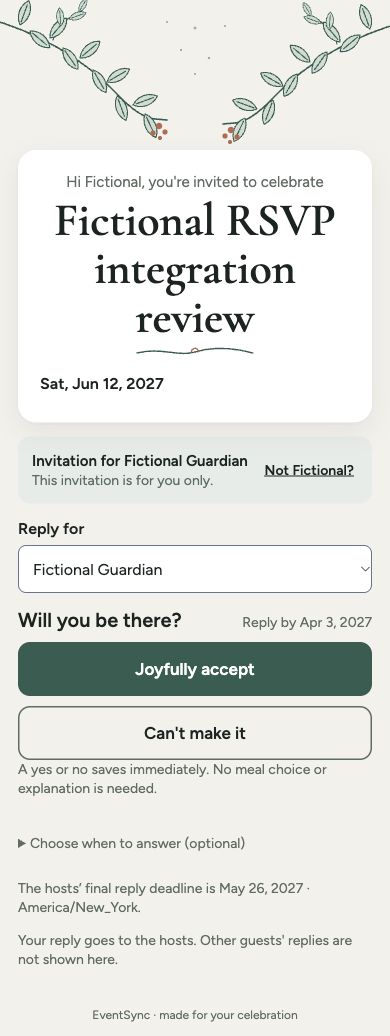
“Will you be there?”
Guests can answer yes or no. If they are not ready, they can choose when they’ll answer.
Next: open “Choose when to answer.”
02 / GUEST VIEW
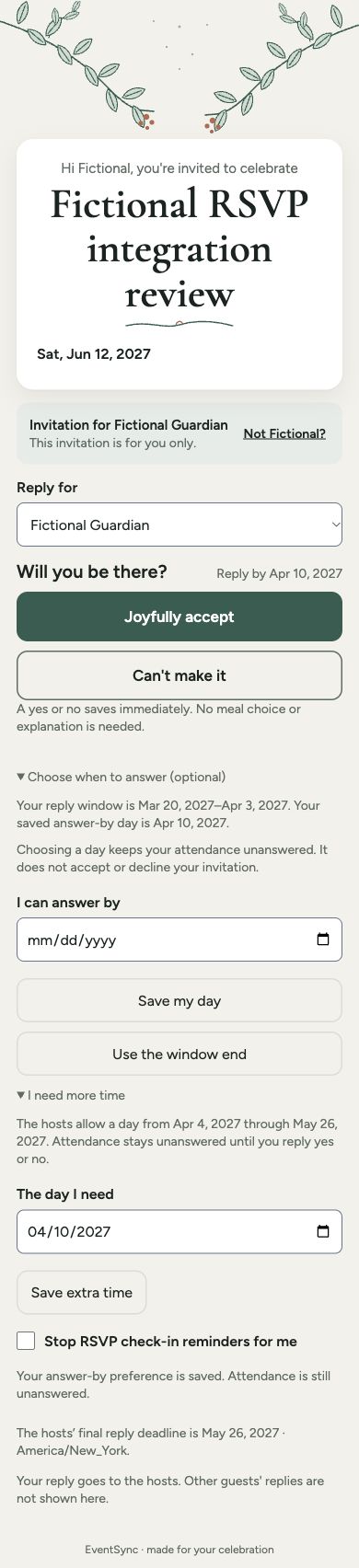
“I need more time.”
The guest can choose a day in the allowed range. Their answer-by day is saved, while attendance stays unanswered.
Next: choose a day and save it.
03 / HOST VIEW
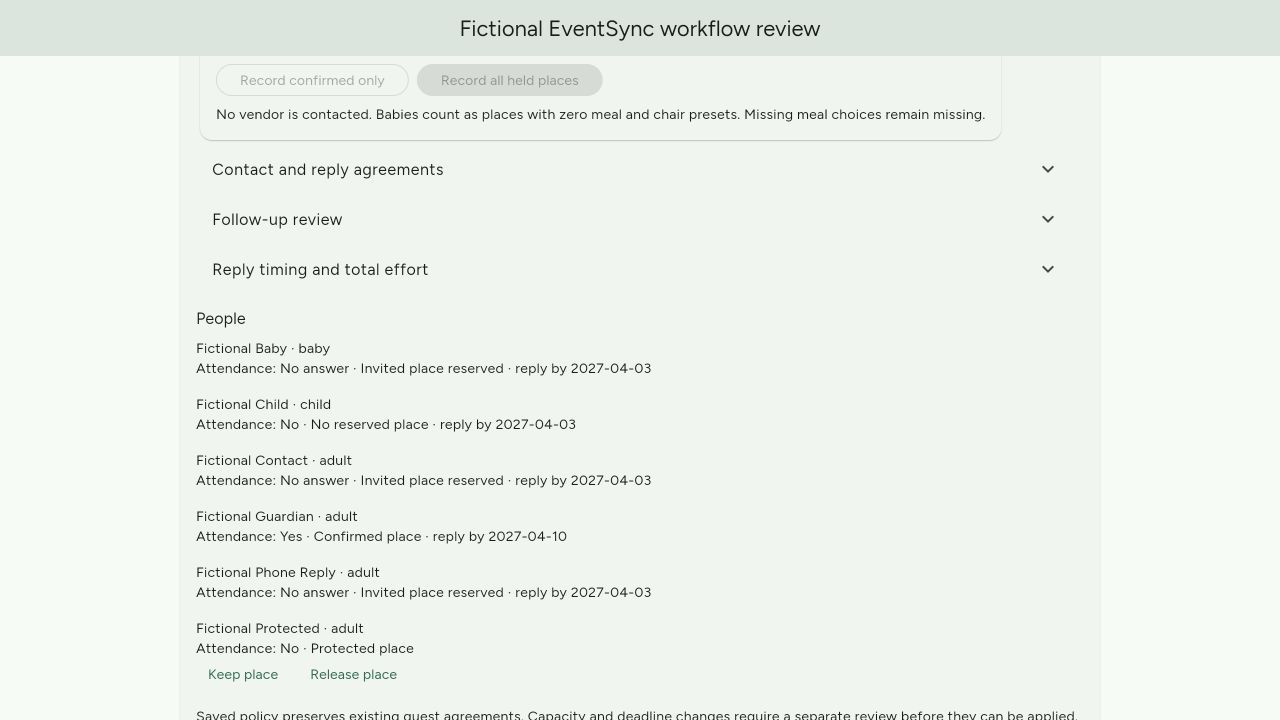
See each person’s answer.
Attendance, reply days and held places stay clear. A guardian’s answer and a child’s answer are separate.
04 / HOST VIEW
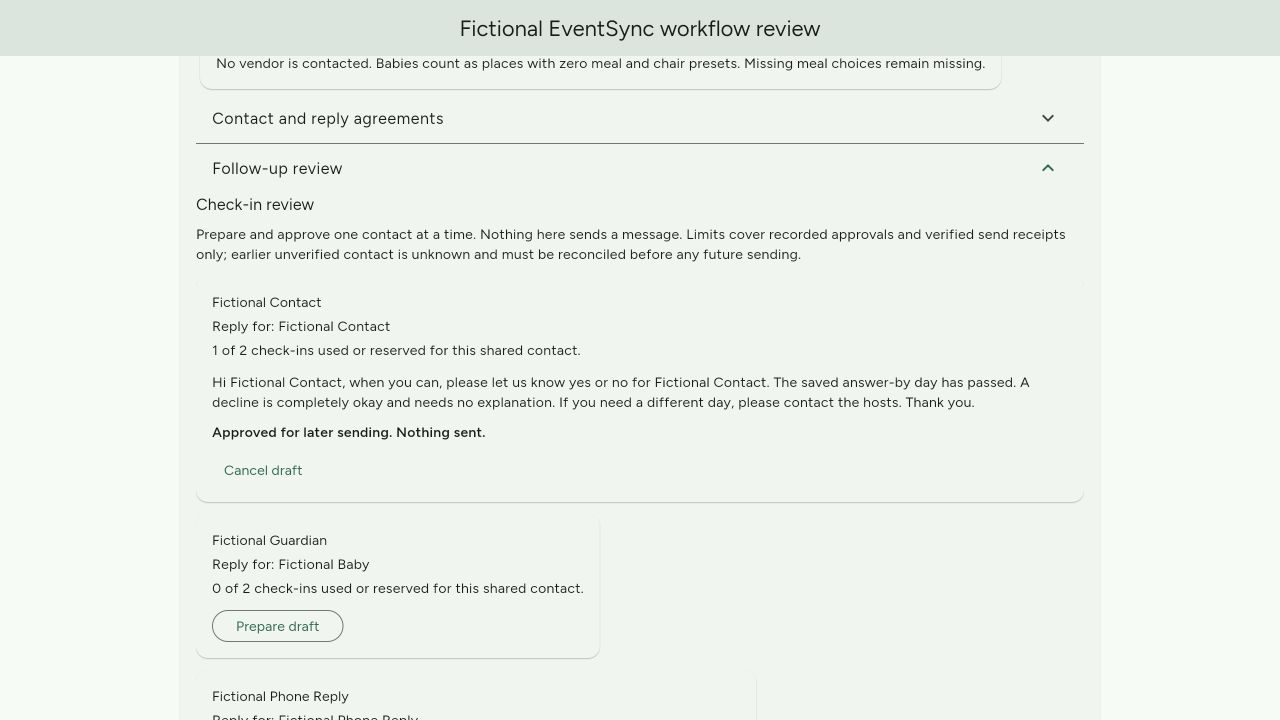
Review a check-in before it goes anywhere.
Prepare, review, approve or cancel a reminder. Approval here says “Nothing sent.” These controls do not send messages.
05 / HOST VIEW
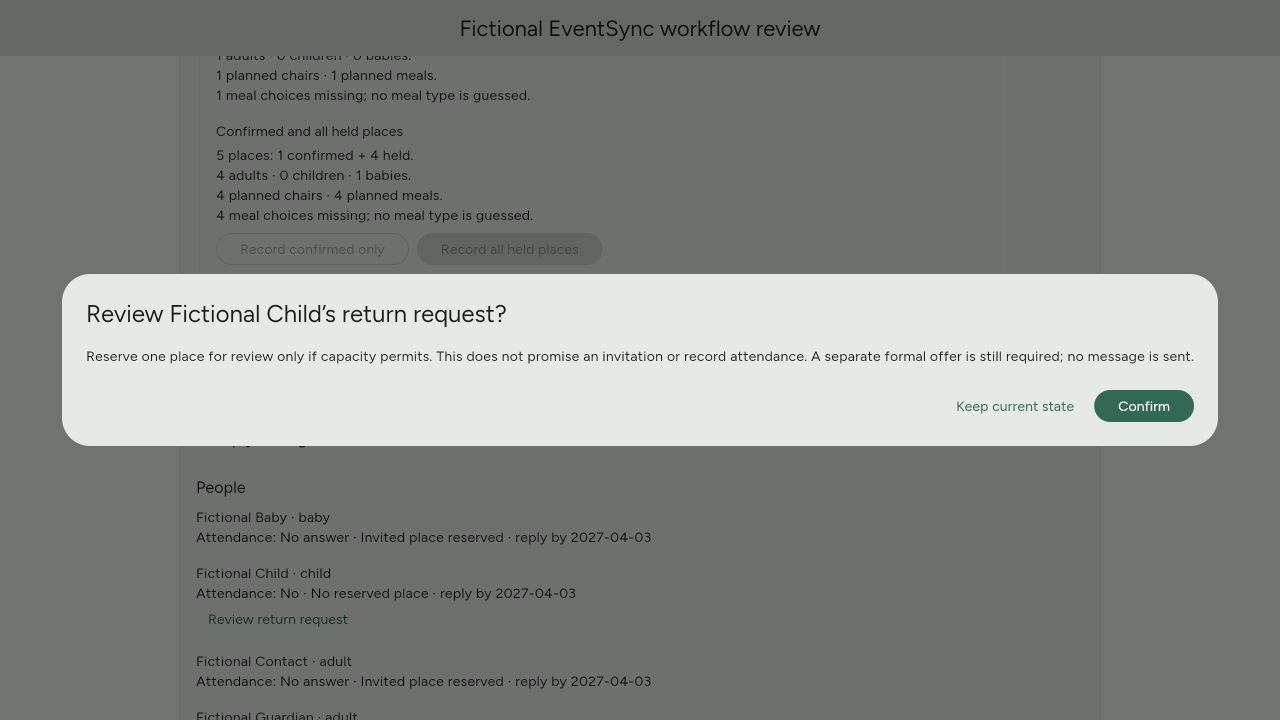
A return request still needs a review.
If someone says no and later asks to come, a request does not promise a place. The couple reviews it before making a new offer.
Workflow questions
Can guests ask for extra time?
Yes, when reply windows are turned on. Guests can pick a later day in the range the hosts allow. That range ends by the final reply date and leaves time for vendor counts. A saved day is not a yes or no.
Can people in the same household give different answers?
Yes. Each named person has their own answer. A guardian can reply only for the children or babies linked to them. One answer does not count for the whole household.
Can we record a reply received by phone?
A couple or planner with access can save a reply they received by phone, email, message or in person. They note where it came from. They do not need to save what was said.
What if someone declines and later wants to attend?
They can ask to attend. Their No stays in place while the couple checks for space. The request does not promise a seat. The couple must make a new offer, and the guest must then say yes.
Does approving a reminder send it?
No. You can prepare a reminder, review it, approve it for later or cancel it. Approval says “Nothing sent.” These controls do not send messages.
Do guests need to download an app?
No. Guests open their own RSVP link in a browser. Hosts sign in to Workspace and need access to the event.