Native app vs web workspace
EventSync: a native app on iOS and Android; the day-of view lives on each person's phone.
Wedding Computer: a web workspace; the day-of view runs in a browser (no app-store app).
Wedding Computer is a new (2026) web workspace that puts the whole wedding on one page — a shared run-sheet plus a vendor CRM with invoicing, built-in email, and AI drafting, free for couples. Its reminders are email, and its automated reminders are described as on the roadmap rather than shipped. EventSync is the native day-of layer: a phone app on iOS and Android with live role-aware push and planner-reviewed recovery.
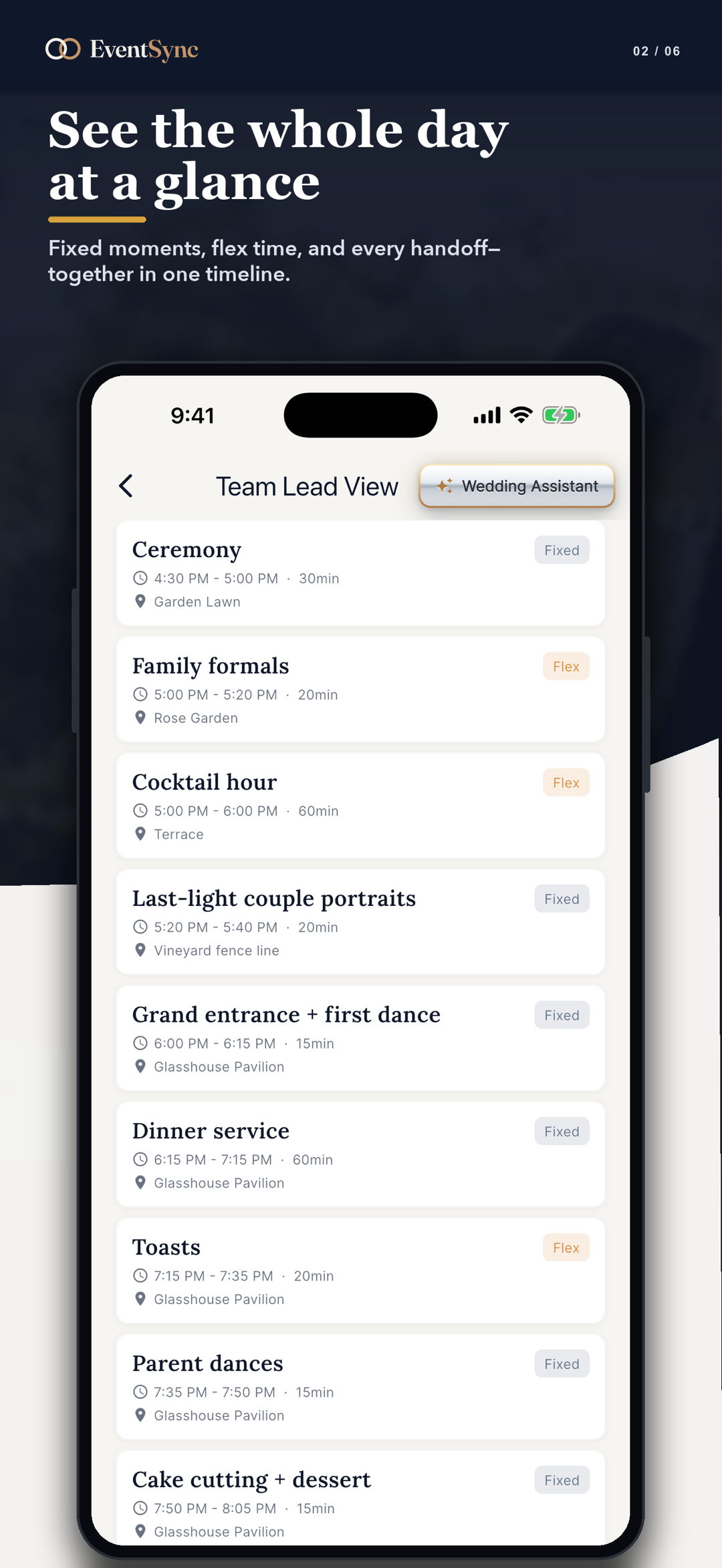
Wedding Computer's live run-sheet can show the day drifting, but it sends no alert. EventSync sends a vendor-late alert to the lead; the planner then reviews the SmartRipple recovery preview and applies it only after approval.
Wedding Computer is a capable, collaborative workspace with a real vendor CRM. The gap is running the live day from a phone: native app, push instead of email, and recovery when the schedule slips.
EventSync: a native app on iOS and Android; the day-of view lives on each person's phone.
Wedding Computer: a web workspace; the day-of view runs in a browser (no app-store app).
EventSync: role-targeted push, a next-event heads-up, and a vendor-late alert — live today.
Wedding Computer: email reminders; automated reminders are described as on the roadmap, not shipped.
EventSync: works offline at the venue and syncs when the connection returns.
Wedding Computer: needs an internet connection; cross-device sync is a paid Pro feature.
EventSync: a purpose-built board per role, driven by the event's real timeline and guest data.
Wedding Computer: three persona views (couple, venue-planner, vendor) of one shared run-sheet.
Wedding Computer is a collaborative web run-sheet and vendor CRM, free for couples. EventSync is the native day-of execution layer.
| Area | EventSync | Wedding Computer |
|---|---|---|
| Native iOS / Android app | Yes, on both. | No — a web workspace. |
| Offline at the venue | Yes, on iOS and Android. | No. |
| Live push notifications | Yes. | Email only. |
| Automated reminders | Yes — timed next-event and vendor-late. | Described as on the roadmap; not shipped as of July 8, 2026. |
| Planner-reviewed timeline recovery | Yes — SmartRipple previews a cascade; an authorized planner or team lead reviews and applies it. | Its live run-sheet shows drift, but sends no alert. |
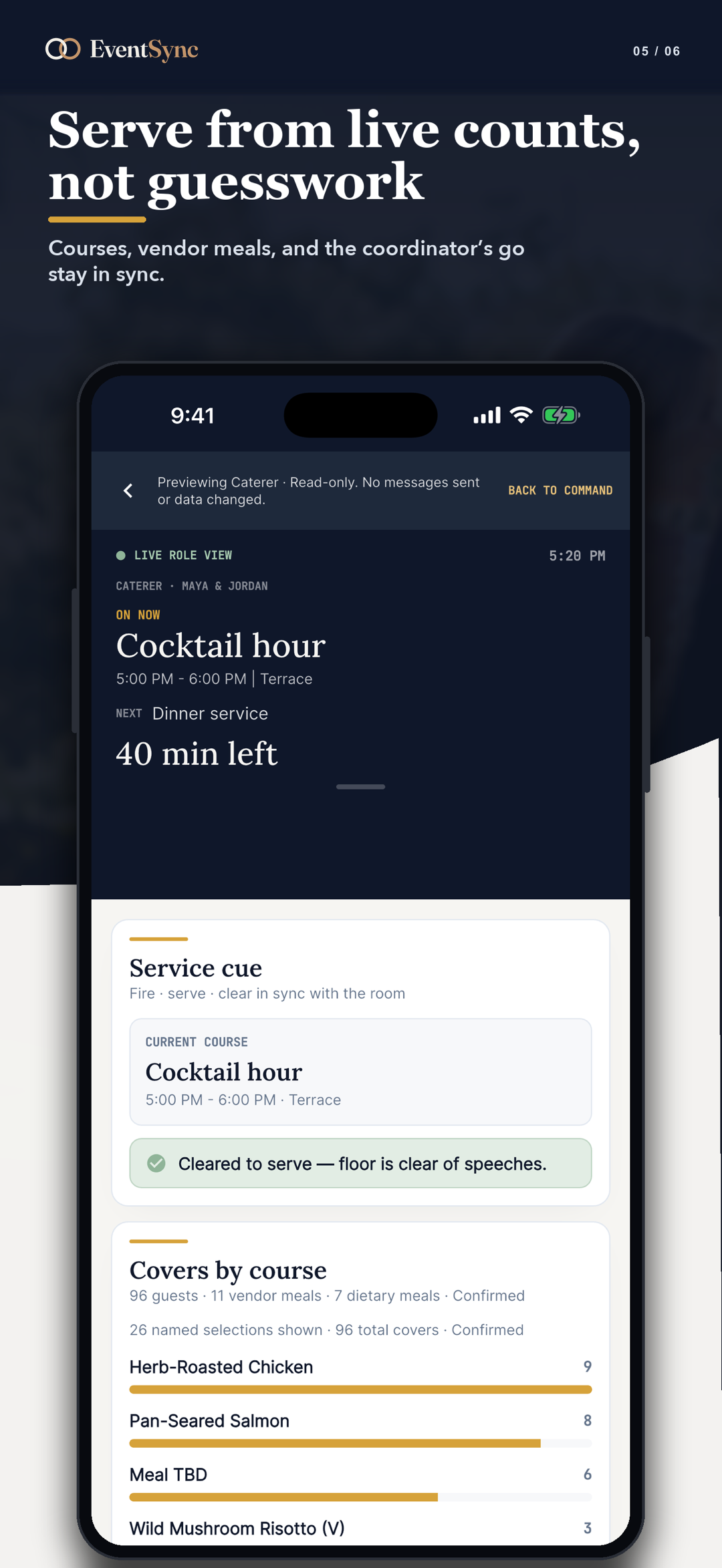
| Per-role boards with role data | Yes — 12 roles with role-specific data. | Three persona views of one shared run-sheet. |
| Vendor CRM (invoicing, email, AI drafting) | No. | Yes — a genuine strength of Wedding Computer. |
| Secure guest RSVP (signed links) | Yes. | Focused on the run-sheet and vendor CRM. |
| Who pays | Free planning; one-time couple passes; Pro plans for pros. | Vendors pay (free for up to 12 active weddings, Pro $20/mo); couples are free. |
Last verified July 8, 2026. Products change — re-check both before relying on this page.
Wedding Computer is a capable web workspace with a real vendor CRM. The difference is the live day itself: a native app in every pocket, push instead of email, and recovery when the schedule slips.
EventSync ships as a native iOS and Android app, so every vendor runs the wedding day from their own phone — no browser login on the day.
Works offline at the venue: the Day-Of app reads and writes to a local on-device database, queues changes, and syncs automatically when the connection returns. The newest edit wins on a conflict.
SmartRipple previews updated timing across downstream blocks. An authorized planner or team lead reviews and explicitly applies the recovery before the timeline or affected-role views change. Included with Day-Of at no extra charge.
Every crew and guest role gets its own purpose-built Day-Of view — photographer, videographer, caterer, venue, DJ/MC, assistant, generic vendor, plus calm receive-only views for guests, wedding party, family, and the couple — driven by the event's real timeline and guest data.
EventSync Workspace (web) is a full desktop planning app: checklist, run-of-show builder with starter templates, budget, vendor directory with contracts, guest list, drag-and-drop seating chart, couple permissions, planning viewers, progress dashboard, and export — all on the same synced data as the mobile app.
Wedding Computer is a different shape of product, and it does things EventSync deliberately doesn't.
Wedding Computer includes invoicing, built-in email, and AI drafting for vendors. EventSync focuses on the live wedding day and does not offer a CRM or AI drafting.
Wedding Computer is free for couples and charges vendors. EventSync charges couples a one-time pass for Day-Of tools (planning is free).
Wedding Computer's whole-wedding-on-one-page model, with a vendor-change approval flow, is a clean way to keep everyone on the same run-sheet.
The Wedding Day Assistant reads the day for you. It is a rules-based briefing layer that turns your timeline into the right prompt at the right moment for each role.
It turns the plan into live, hands-free guidance. It reads the wedding-day timeline and each person's role and surfaces focus cards — short readiness briefings that tell each crew member what to prep now, what's coming next, and what needs their attention, so nobody keeps scrolling the master schedule.
SmartRipple is the free recovery engine. Role boards are the free per-role views. The Wedding Day Assistant is the paid, proactive briefing layer on top.
A short readiness briefing for the person's role at the current point in the timeline.
A concise look-ahead so the crew member can stage the next handoff without scanning the master schedule.
A role-specific prompt when the timeline or status says something needs the crew member's focus.
Paste your run-of-show or import a spreadsheet or CSV, and EventSync brings your blocks in with duplicate detection and confidence flagging.
SmartRipple recovery is free with any Day-Of access; the Wedding Day Assistant is a paid upgrade.
$0 forever
Full planning workspace + 1 wedding.
$49.99 one-time
Day-Of tools for one wedding.
$99.99 one-time
Day-Of + the Wedding Day Assistant.
$249.99/yr or $79.99/qtr
Day-Of on unlimited weddings.
$399.99/yr or $129.99/qtr
Pro + the Wedding Day Assistant.
Wedding Computer is free for couples and charges vendors (free for up to 12 active weddings; Pro $20/mo). Check wedding.computer for current rates before comparing options.
No — Wedding Computer is a web workspace with no app-store app, and the day-of view runs in a browser. EventSync is native on iOS and Android.
Wedding Computer sends email, and its automated reminders are described as on the roadmap rather than shipped as of July 8, 2026. EventSync sends live push — a next-event heads-up and a vendor-late alert — today.
No — it needs an internet connection (cross-device sync is a paid Pro feature). EventSync works offline on both platforms.
Vendors pay (free for up to 12 active weddings, Pro $20/mo); couples are free. EventSync has free planning, one-time couple passes, and Pro plans for pros.
Wedding Computer includes a vendor CRM with invoicing, built-in email, and AI drafting. EventSync focuses on the live wedding day and does not offer a CRM or AI drafting.
Yes — paste it or import a spreadsheet or CSV.
EventSync's capabilities are verified against its own source code; Wedding Computer details reflect its public website (wedding.computer) as of July 8, 2026. Wedding Computer is very new and actively developing; verify current status before relying on this page.
Wedding Computer is a trademark of its respective owner and is used here only for identification and comparison.
Last verified: July 8, 2026.
Native app on iOS and Android, live push, free SmartRipple recovery, and role views built for the actual wedding day.