Vendor check-ins should not live in one group text.
When a vendor arrives late, checks in at the wrong entrance, or waits on another handoff, the timeline problem can spread before the couple knows anything is wrong.
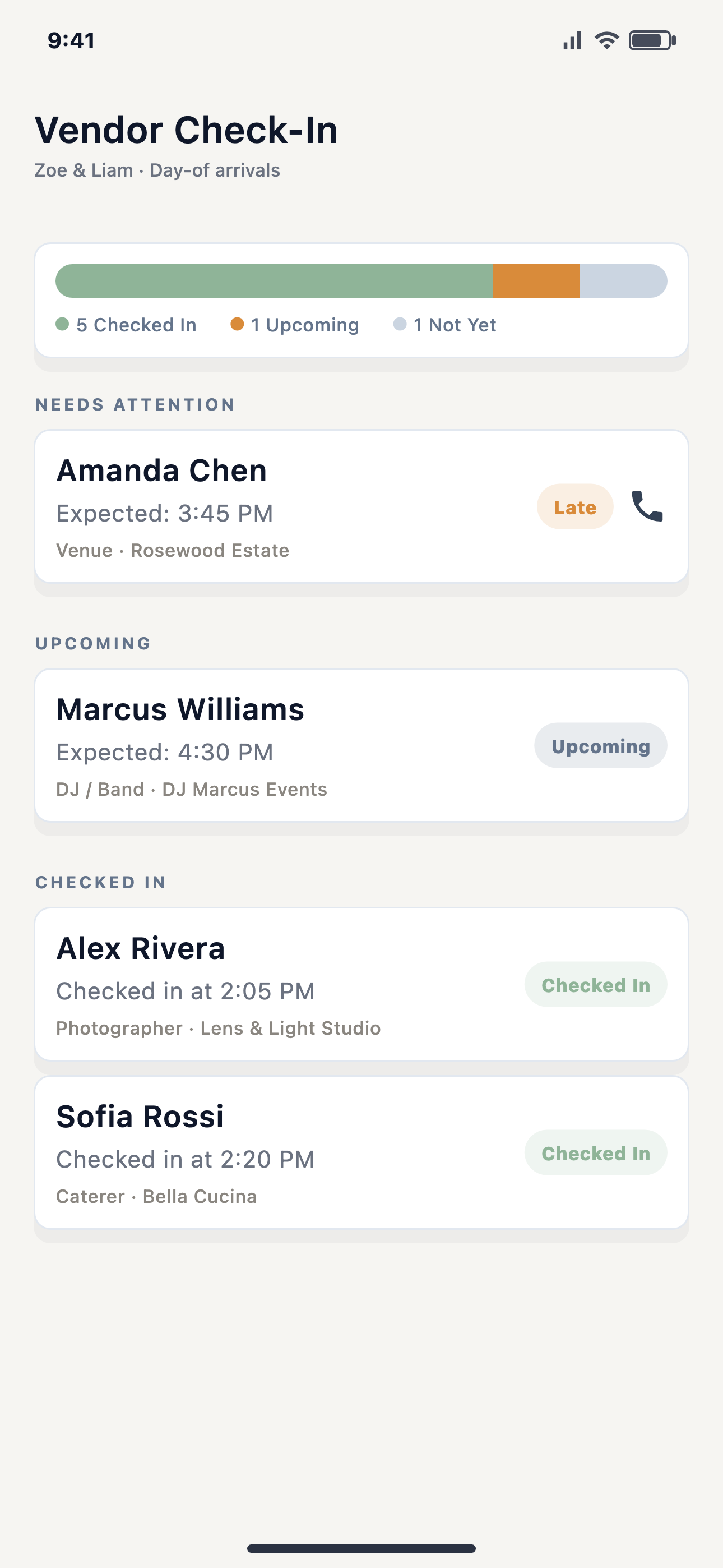
Most wedding timelines assume every vendor is where they need to be when the next block starts. Real wedding days are more fragile than that. A photographer parks at the wrong side of the venue. A shuttle is stuck behind hotel traffic. A caterer needs one more confirmation before service. The coordinator needs to know early, not after the next moment is already late.
That is why vendor check-ins belong inside the live run sheet. They are not just attendance marks. They are signals that tell the person running the day what can start, what should wait, and who needs a focused update.
The useful question is: "Can this next handoff safely happen with the vendor status we have right now?"
What a vendor check-in should answer
Who is on site?
The lead needs a quick view of arrivals, missing vendors, and vendors who are checked in but waiting on access, setup, or a cue.
What depends on them?
Arrival status matters most when it connects to a ceremony cue, portrait block, room flip, catering timeline, DJ announcement, or transportation handoff.
Who needs the update?
The photographer, DJ, caterer, venue lead, assistant, family helper, and couple should not all receive the same operational note.
What requires approval?
If the status change affects the team-visible timeline, the coordinator or authorized lead should approve the recovery path before updates go out.
Why group texts break down
Group texts feel fast until the timeline gets tense. Messages arrive out of order. A vendor answers a question meant for someone else. The couple gets pulled into a decision they should not have to carry. Someone screenshots an old instruction and treats it like the current plan.
A live check-in flow gives the wedding day lead a better starting point. The lead can see status, compare it against the timeline, and decide whether the next step is a private nudge, a role-specific update, or a planner-approved schedule adjustment.
Where EventSync fits
EventSync Day-Of Command is built around the live state of the wedding day: timeline, vendor check-ins, team status, role handoffs, and planner-controlled updates. Wedding Day Assistant and SmartRipple can surface recovery suggestions, but EventSync's public facts are clear: the planner or authorized team lead approves team-visible changes.
That matters because vendor status is rarely just a vendor problem. It affects the handoff before it and the moment after it. The tool should help the human lead make a cleaner decision, not bury the decision inside another thread.
A simple vendor check-in review
- List every vendor tied to a fixed or high-risk timeline moment.
- Mark who needs arrival confirmation versus setup confirmation.
- Write the role-specific update each vendor should receive if the timeline moves.
- Decide which changes require planner approval before anyone else sees them.
- Keep the couple out of operational messages unless they actually need to decide something.
See vendor check-ins inside the day-of flow
Preview how EventSync connects vendor status, the live timeline, role handoffs, and recovery decisions.
Open the product demo