Come back to the right conversation.
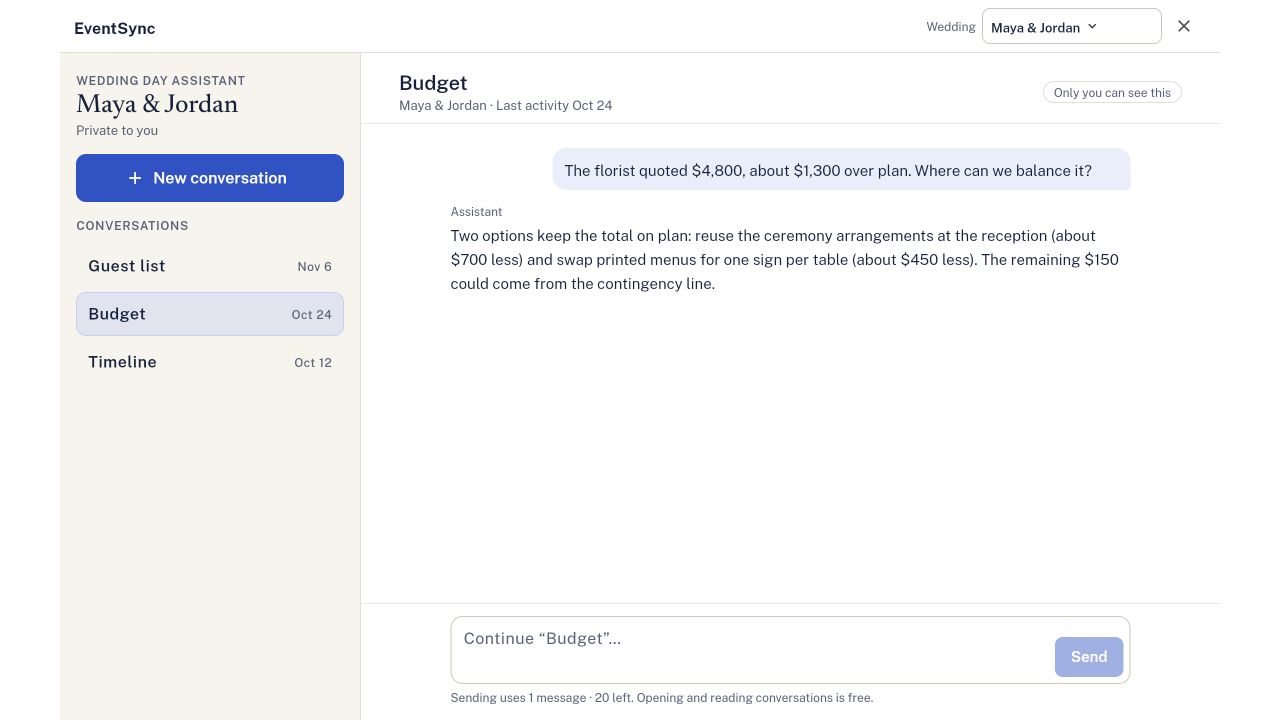
Open the Wedding Day Assistant in your selected wedding. Your saved topics appear with a title and last-activity date, so you can find the discussion you need without starting again.
- Choose a saved topic. On desktop, select it in the conversation list. On a phone, open a topic from the list.
- Read or continue. Review the earlier exchange, then send a follow-up in the same conversation when you’re ready.
- Starting something different? Select New conversation to keep the next discussion separate.
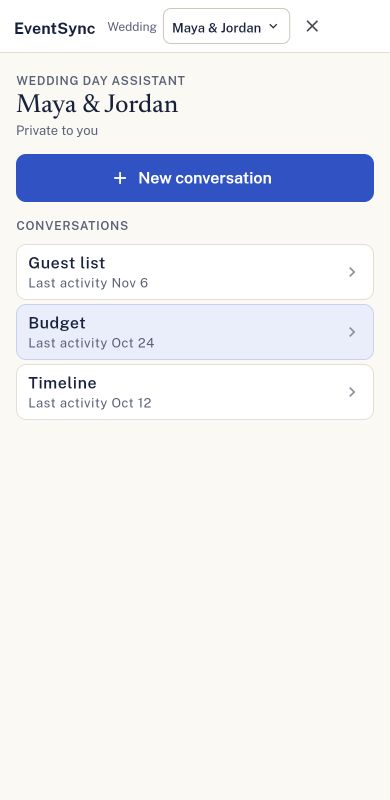
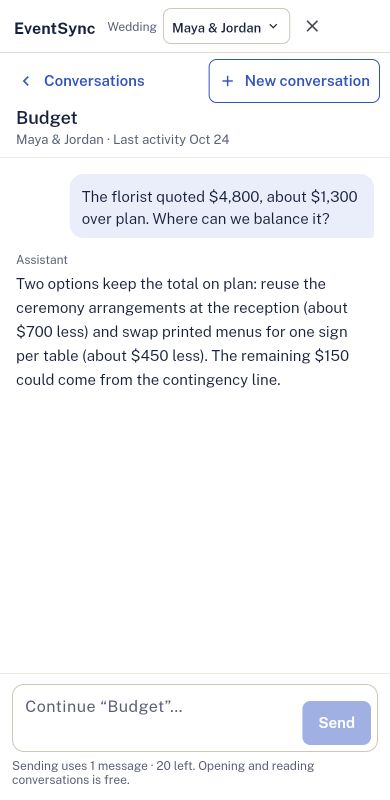
Easy to return to on your phone.
Your topics have clear cards and dates. Inside a chat, Conversations returns to the list, and New conversation starts another topic in one tap.
Your wedding. Your history.
Conversations stay private to your account and separate for each wedding. Switching weddings changes the conversation list and the wedding the Assistant can use.
Opening and reading saved conversations uses no Assistant messages. Sending a new request uses your message allowance; review the count shown before sending. Any supported proposed change still needs your separate review and approval.
This update is available in Workspace, including your phone’s browser. Conversations saved with this feature appear in the list; earlier chats from before saved history was introduced may not be available.
Keep the conversation going.
Open Workspace, select your wedding and open the Wedding Day Assistant to find your conversations.
Open EventSync Workspace