The photographer, DJ, caterer, and family helper do not need the same wedding day update.
A single master timeline may help the planner, but it can overwhelm everyone else. Better handoffs give each role the details they need without exposing private or unrelated context.
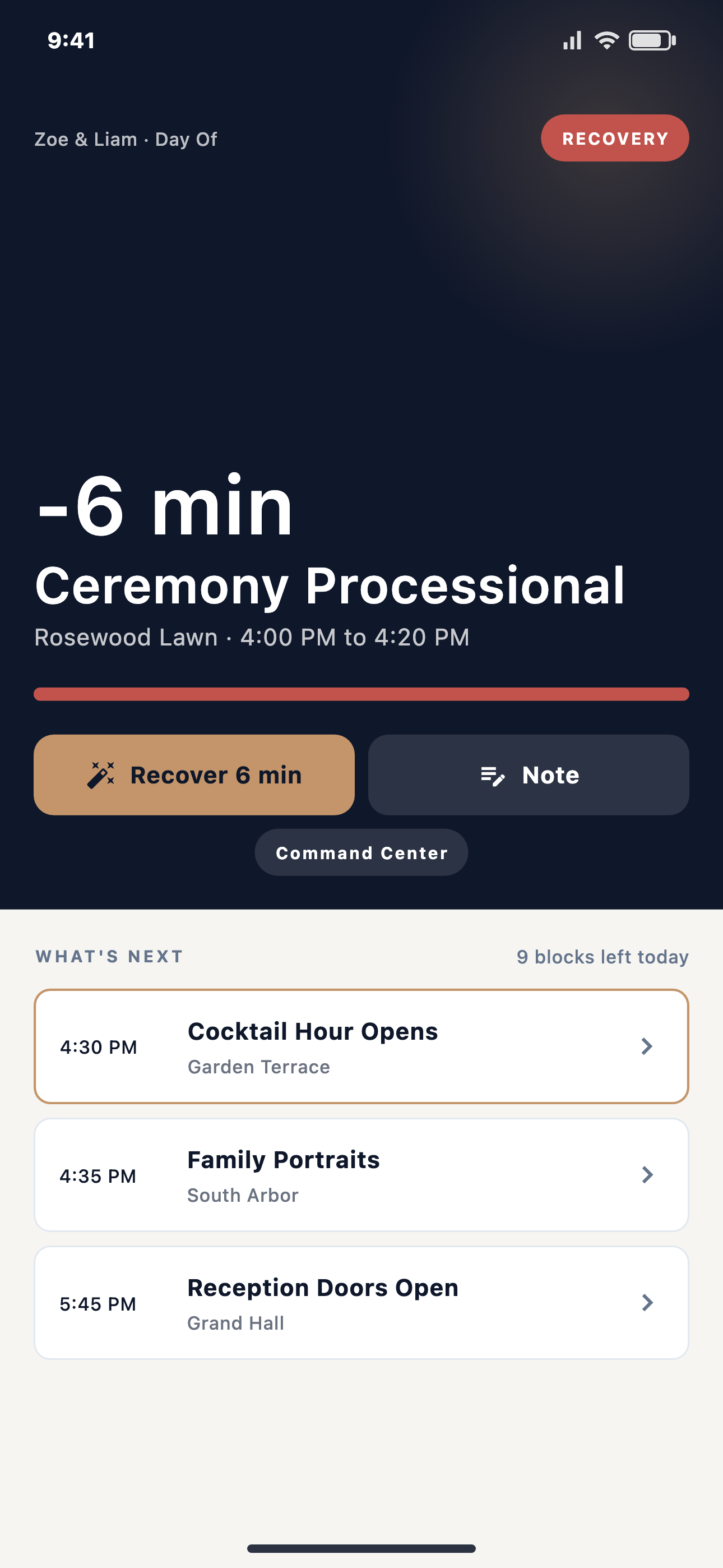
Wedding day confusion often starts with good intentions. The coordinator shares the full timeline so everyone has the plan. Then people skim, miss the part that belongs to them, or act on details that were meant for someone else.
The photographer needs portrait timing and family photo cues. The DJ needs entrances, announcements, and music cues. Catering needs service timing and room-flow changes. Family helpers need simple instructions, not planner-only context. Guests need even less.
The goal is not to hide the plan. The goal is to send each person the right slice of the plan so they can act without adding noise.
What role-specific handoffs solve
Cleaner instructions
Each role sees the timing, location, and cue that affects their next move.
Less private context
Non-command roles do not need hidden reasons, planner notes, or unrelated team details.
Faster follow-up
If one role has not acknowledged an update, the coordinator can focus on that role.
Better recovery
When a timeline change is approved, the update can move to the roles affected by that change.
Where EventSync fits
EventSync supports role-specific handoffs for photographers, DJ/MCs, caterers, venue teams, assistant planners, vendors, couples, family, wedding party, and guests. Role views are privacy-filtered so non-command roles do not receive planner-only context or command authority.
That matters most when the wedding day changes. A planner-approved update should not become a giant explanation for everyone. It should become the right next instruction for the people who need it.
A handoff review before the wedding
- Identify which roles own each timeline block and transition.
- Separate private planner notes from instructions the role should see.
- Write update language that is short enough to read while working.
- Decide which roles need acknowledgement for critical changes.
- Make sure guests and family helpers receive simple, role-appropriate cues.
Day-Of Pain Point Series
Next: why a static wedding day PDF is not enough once the event startsPreview role handoffs in EventSync
See how EventSync connects Day-Of Command, role-specific views, team updates, and planner-approved recovery.
Open the product demo